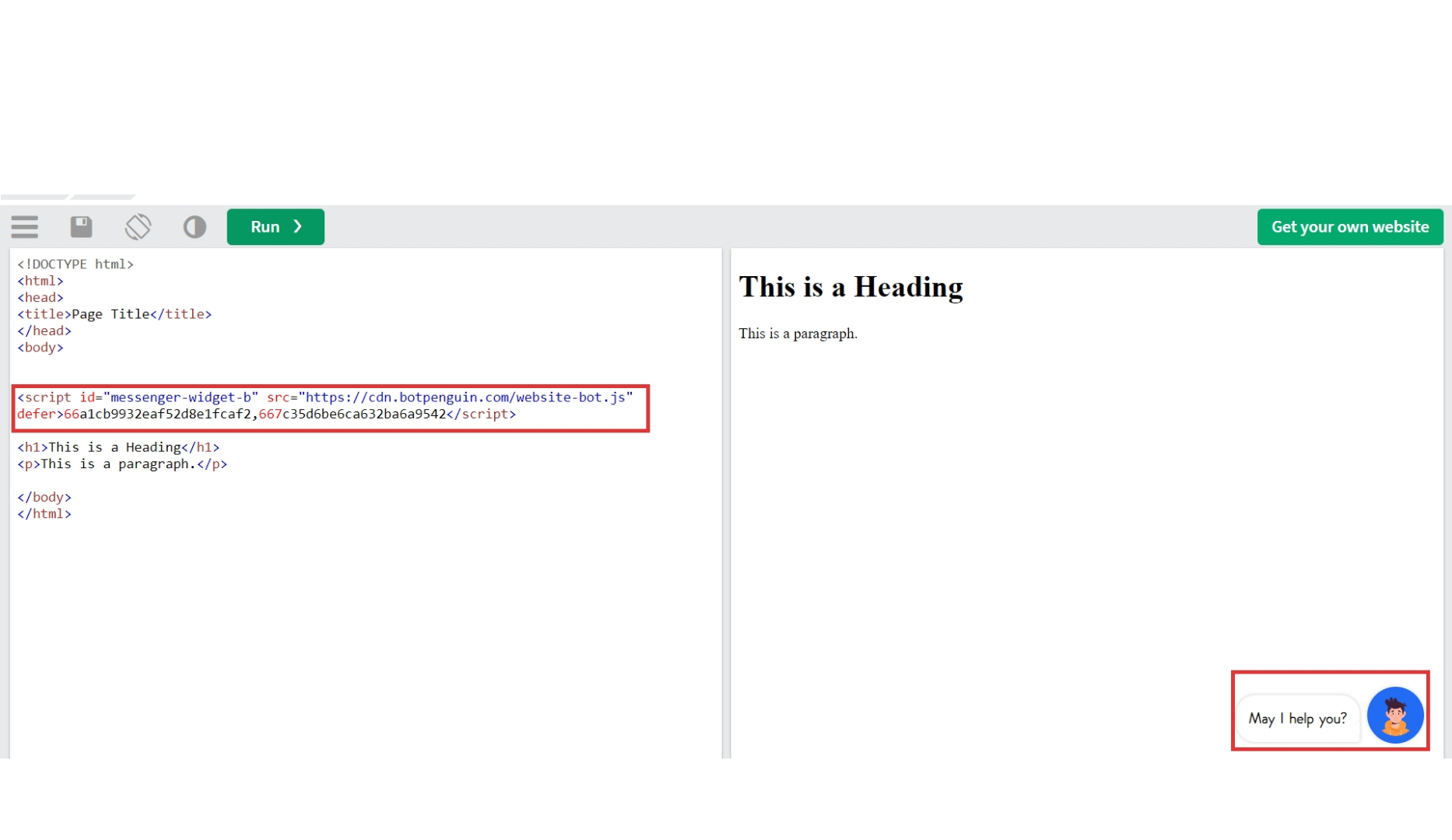
What does deploying a chatbot on a website mean?
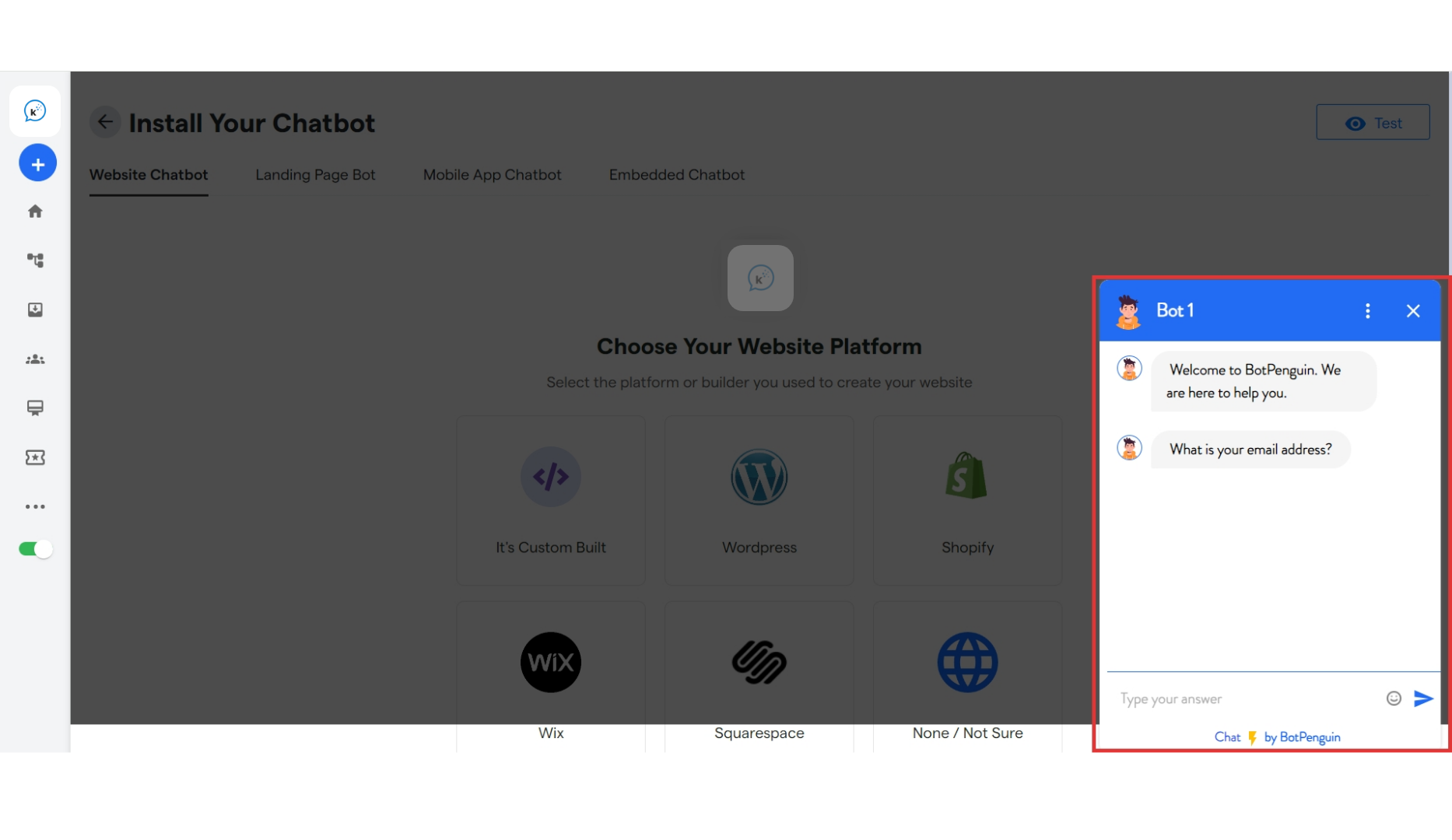
Deploying a chatbot on a website means making your chatbot live and available on your site, so customers can interact with it directly. This process involves adding the chatbot to your website, enabling it to assist visitors, answer questions, and provide support in real time. Your chatbot will be live on your website like this:-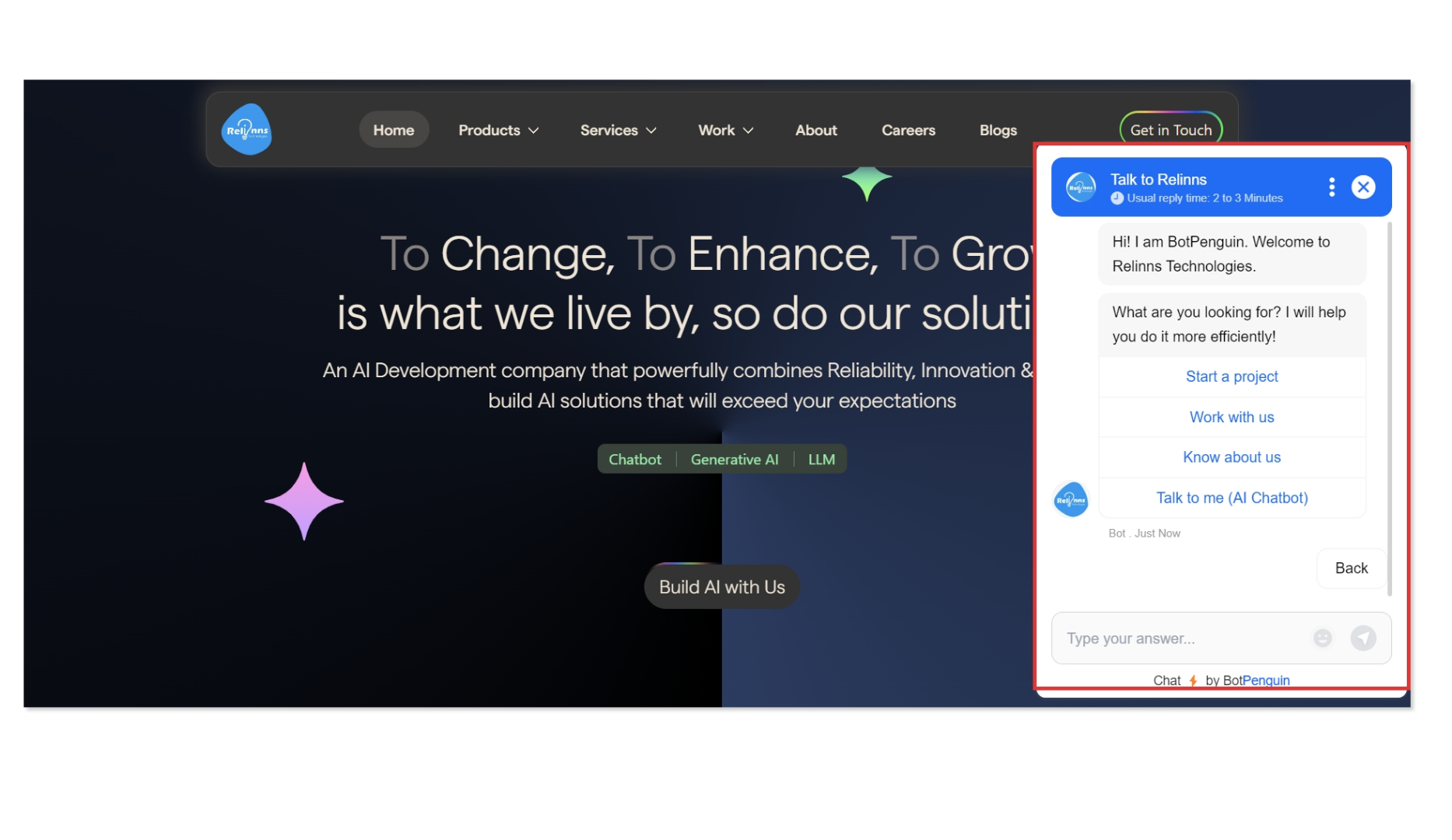
Prerequisites for Installing Your Chatbot
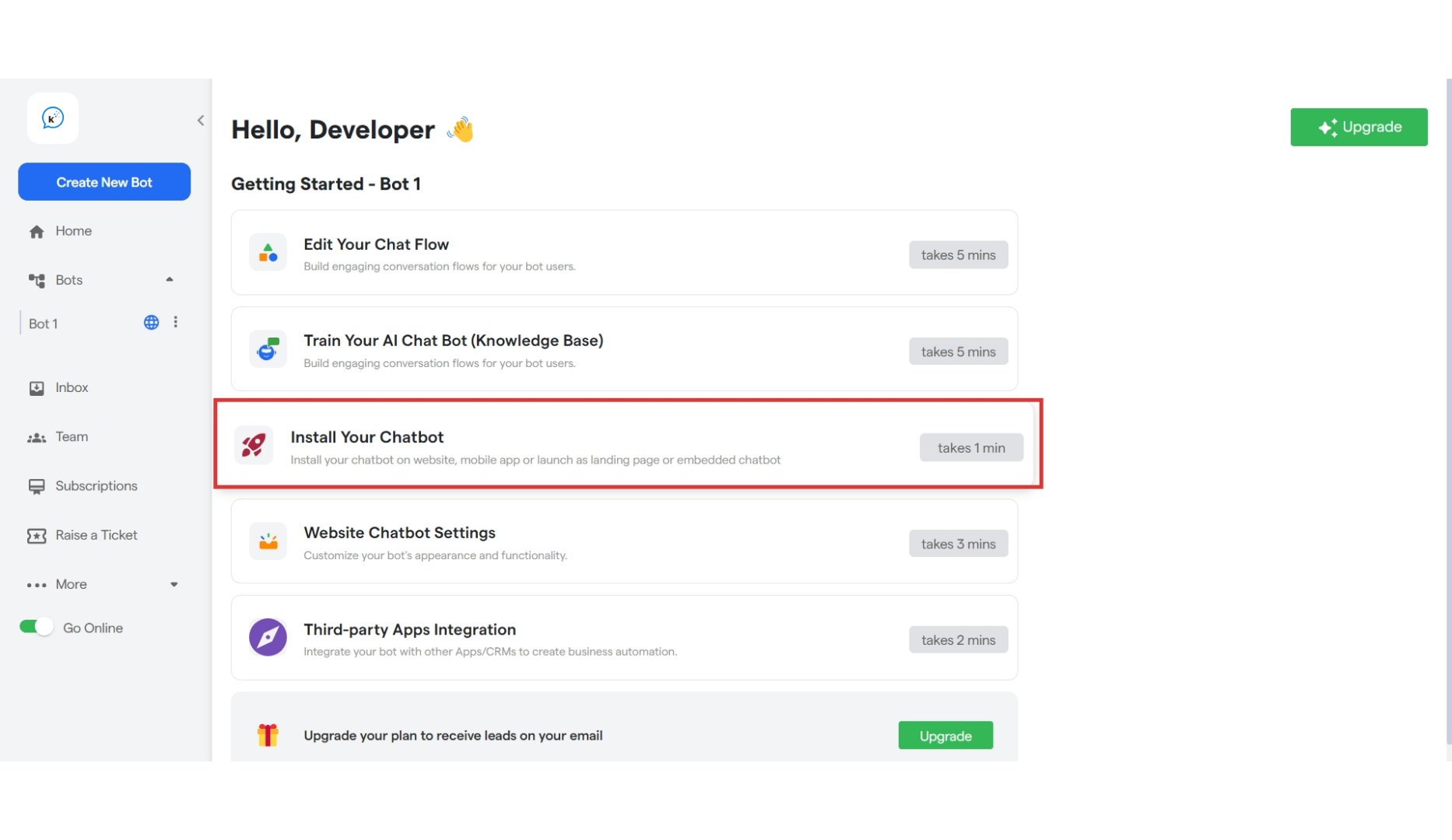
Before you begin installing your chatbot, ensure you have completed the following steps:- Create Your Website Chatbot: Ensure that your chatbot is fully developed and tested.
- Complete the “Edit Your Chat Flow” Section: Make sure you have configured your chatbot’s conversation flow to handle customer interactions effectively.
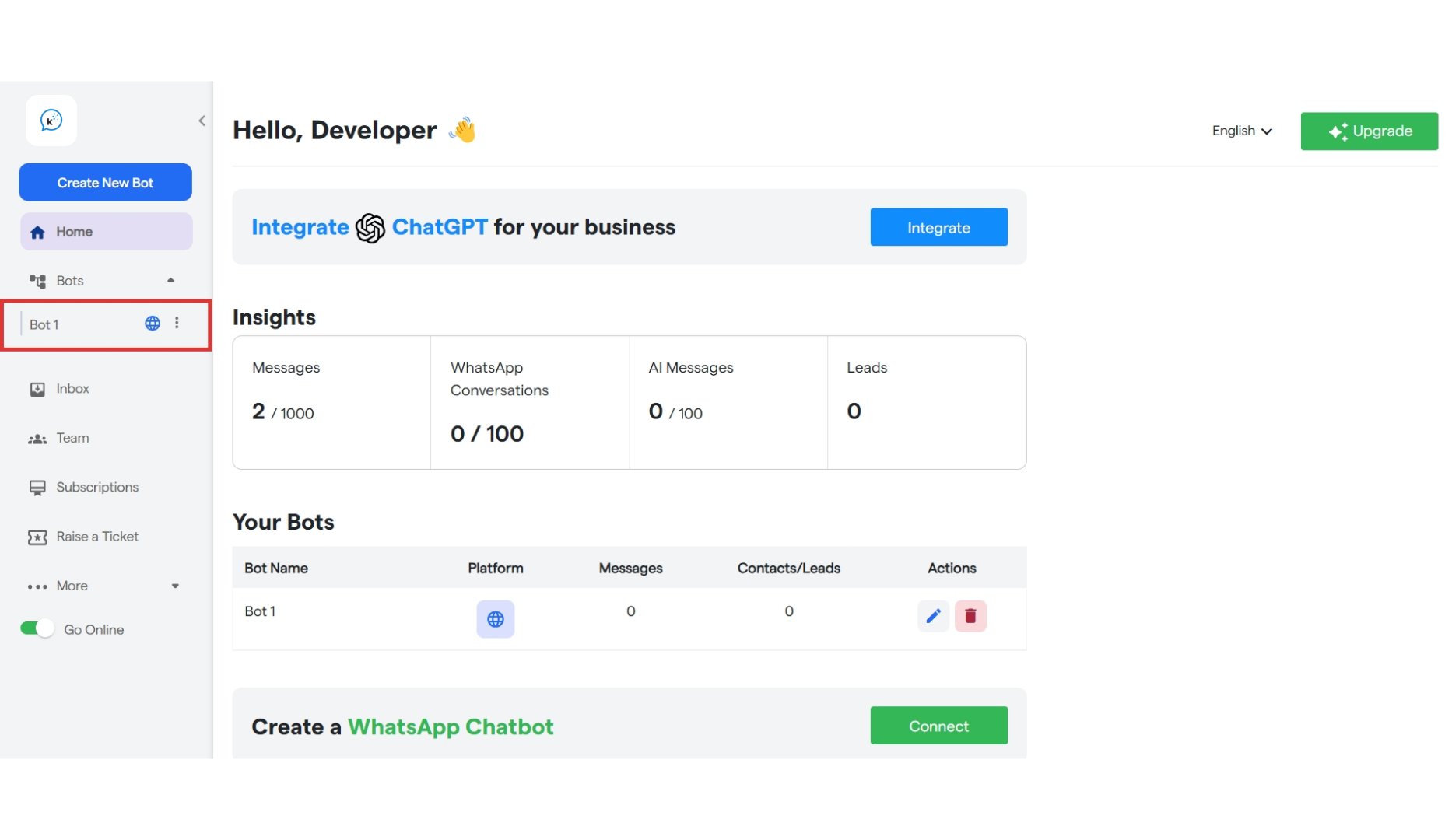
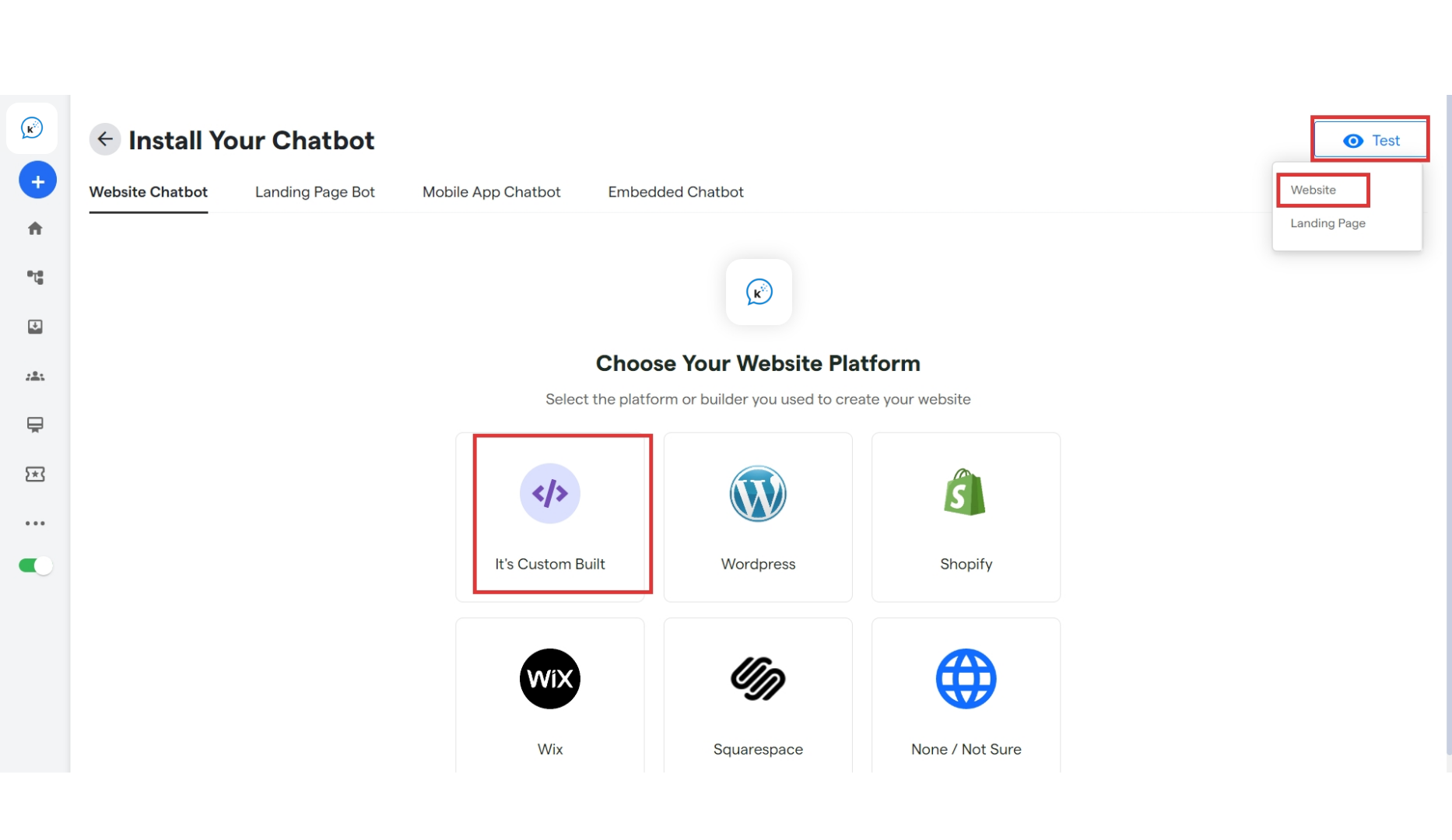
- Website Chatbot: The chatbot is embedded and active on the website interface.
- Landing Page Bot: The chatbot is embedded and active on the landing page interface.
- Mobile App Chatbot: The chatbot is embedded and active on the mobile app interface.
- Embedded Chatbot:
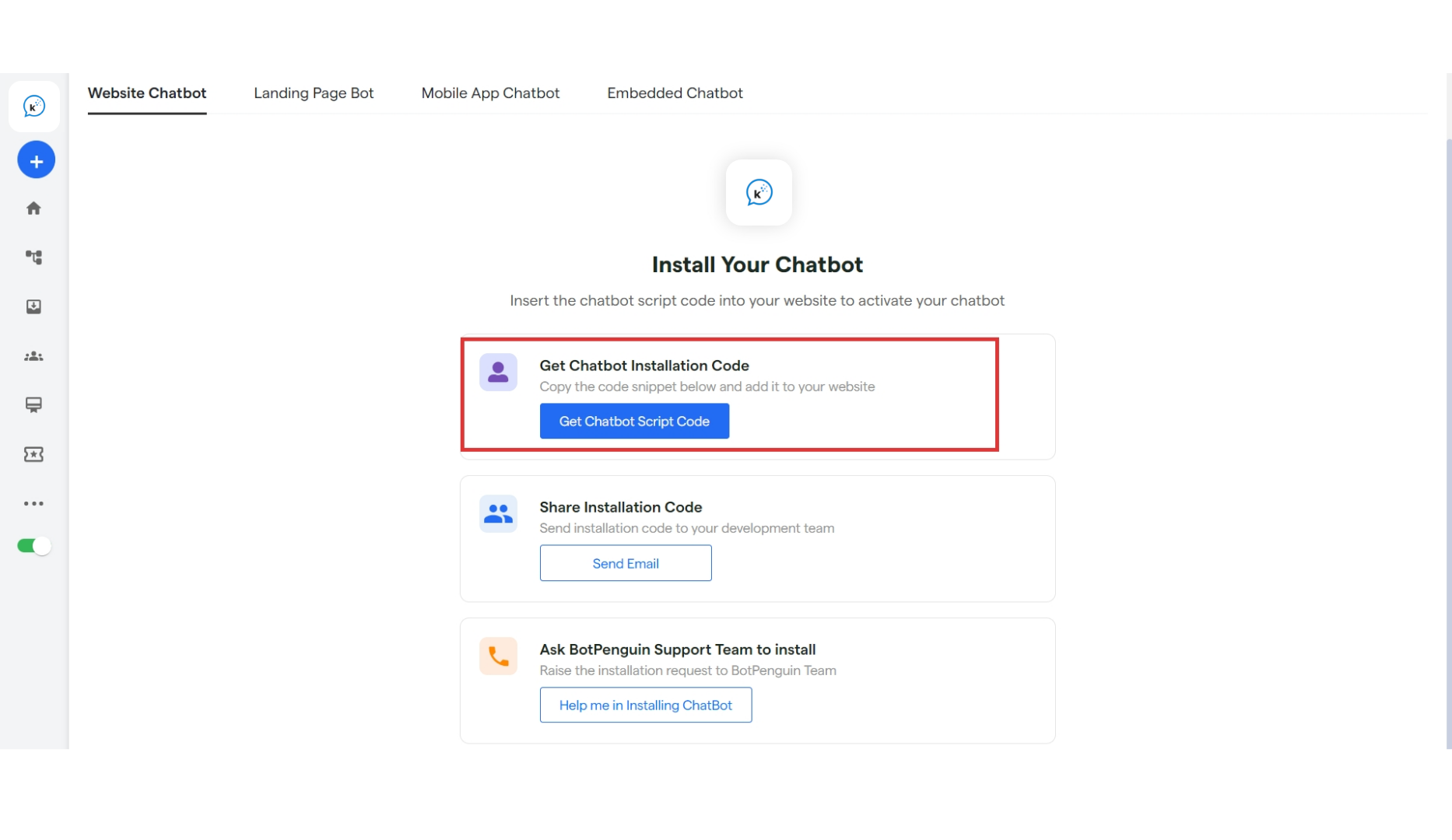
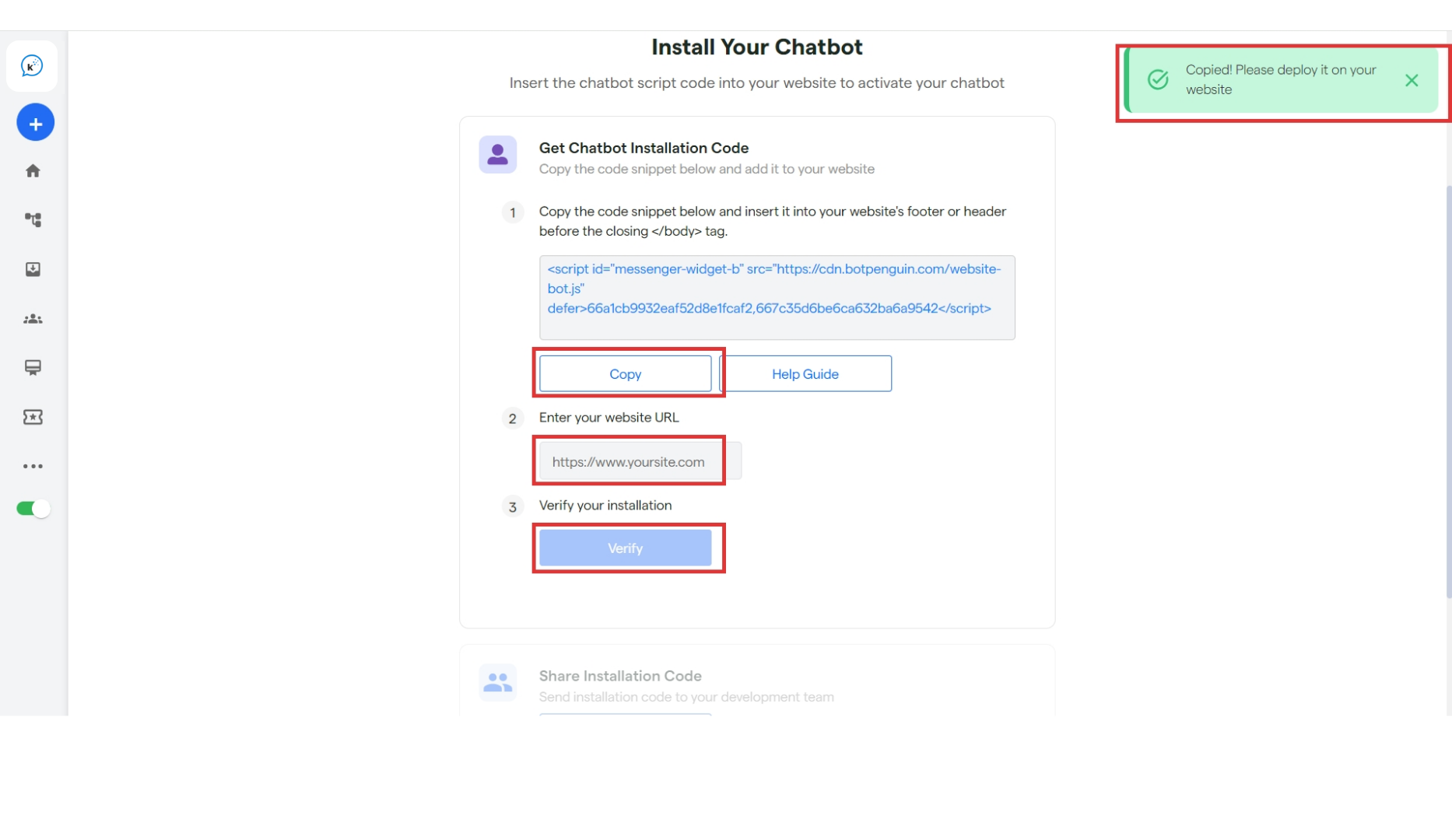
- Get Chatbot Installation code: From this section, you can directly copy the script code for your chatbot.
- Share Installation code: Installation code will be sent directly to your development team via email.
-
Ask Convertalk Support: Our team will assist you in installing your chatbot.