
Get the essentials first!
To use the Convertalk APIs, You need to insure that you have following details with you. A. UUID - You can get the UUID from the local web session storage as show in the image below: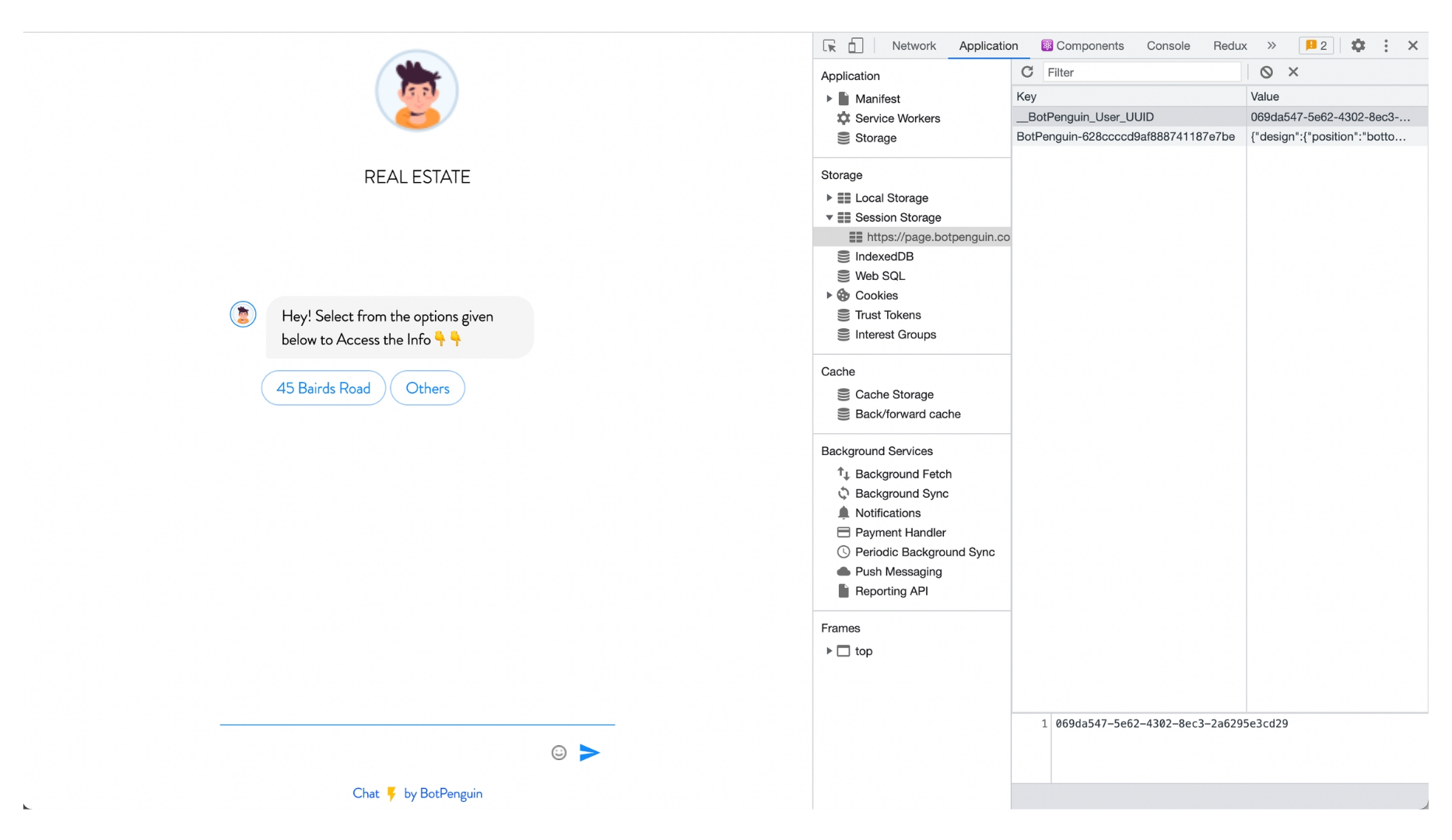
API References
Please use the below APIs in order to play with your leads and chat data.Create a lead in the Convertalk
As soon as any user opens up the Bot, It creates one UUId; pass the same along with the other required details to create and update the lead’s details.API to update a chat/lead data
PUT https://api.v7. Convertalk.com/inbox/direct/lead
As soon as any user opens up the Bot, It creates one UUId; pass the same along with the other required details to create and update the lead’s details.
Headers
Request Body
Get leads listing and Its meta data
To get the listing of the leads and its meta data, Hit the below API with mandatory details.API to get listing of chats/leads
GET https://api.v7. Convertalk.com/inbox/direct/chats
To get the listing of the leads and its meta data, Hit the below API with mandatory details.
Query Parameters
Headers