> ## Documentation Index
> Fetch the complete documentation index at: https://help.convertalk.com/llms.txt
> Use this file to discover all available pages before exploring further.

# Department

> This is department.

<Info>
  Note: The "Departments" feature is only accessible to users on the King Plan.
</Info>

In the **Departments** section, you can create and organize departments based on your needs. You can assign specific team members to a particular department.

## **How to create Department:**

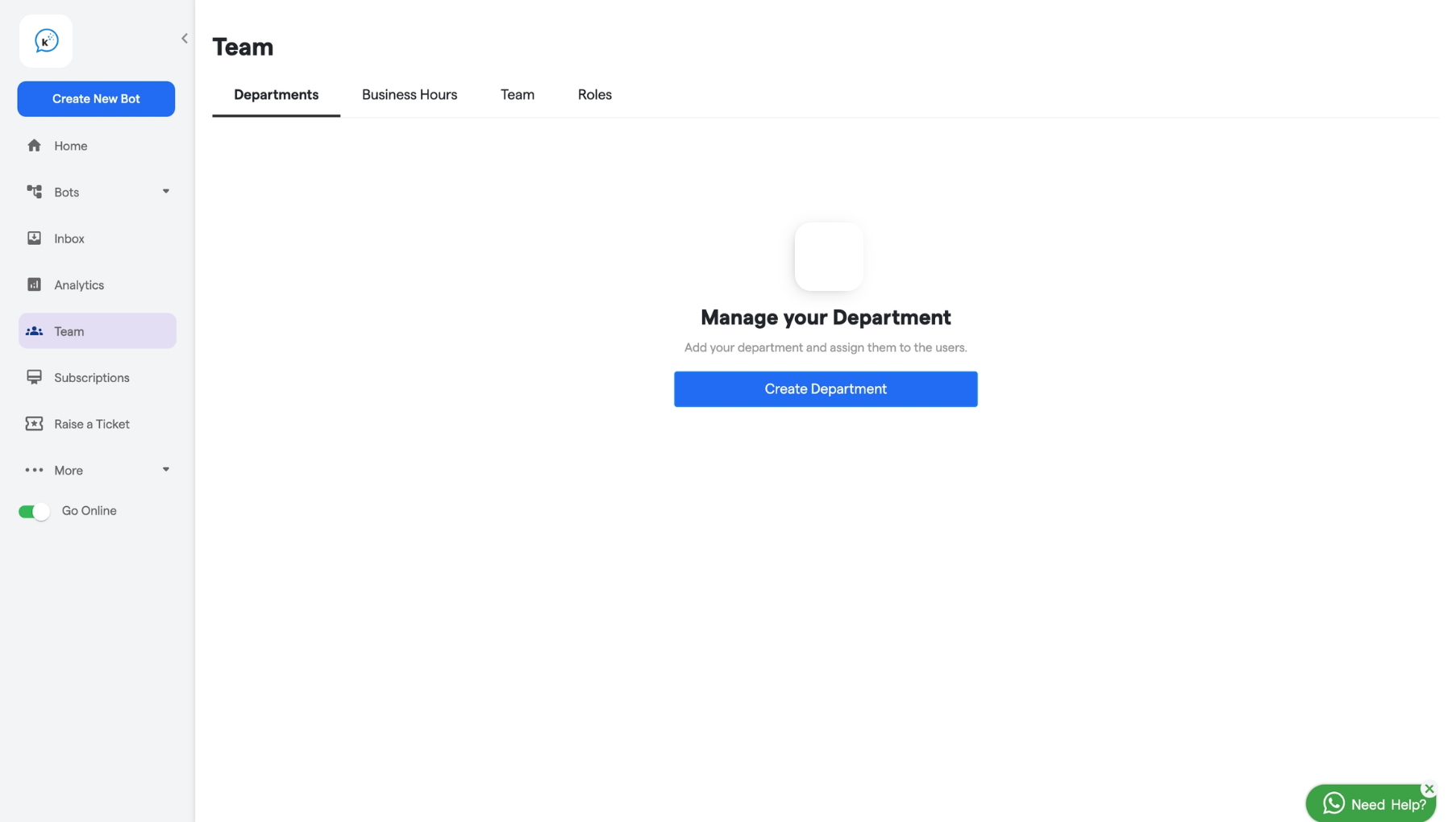
1. Navigate to the **Departments** section.
   <img src="https://mintcdn.com/relinns-a79aef51/MaLdFn4ja_q0l_YZ/images/how-botpenguin-works/department/181.departments__Convertalk_resource_centre-1.png?maxW=1806&auto=format&n=MaLdFn4ja_q0l_YZ&q=85&s=65009d0713f9aeaa2dc521f97c665a29" alt="181 Departments  Convertalk Resource Centre 1 Pn" width="1806" height="1020" data-path="images/how-botpenguin-works/department/181.departments__Convertalk_resource_centre-1.png" />
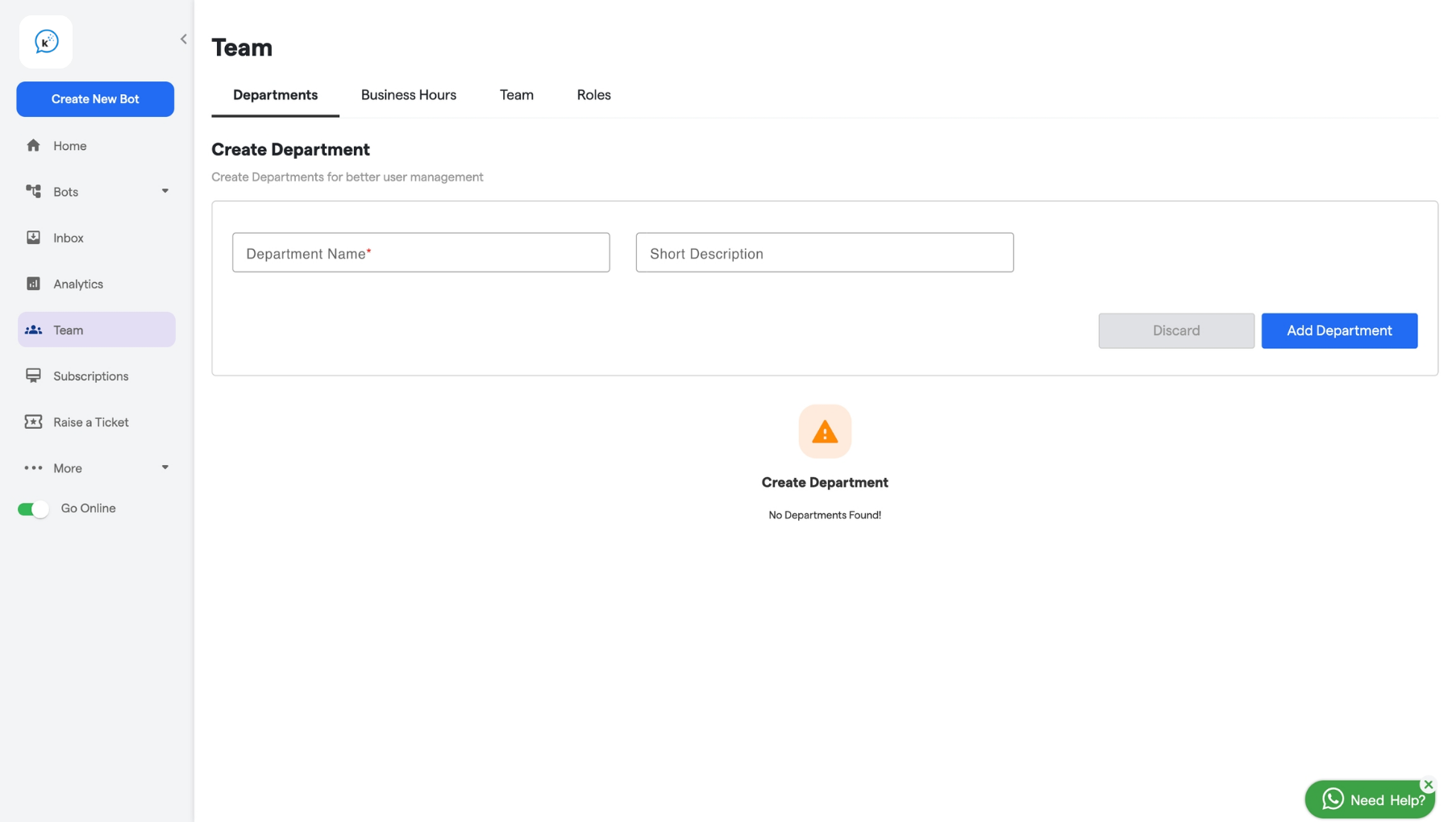
2. Enter a name for the department in the **Name** field.
3. Add a short description for the department, if needed.
   <img src="https://mintcdn.com/relinns-a79aef51/MaLdFn4ja_q0l_YZ/images/how-botpenguin-works/department/181.departments__Convertalk_resource_centre-2.png?maxW=1806&auto=format&n=MaLdFn4ja_q0l_YZ&q=85&s=dfdaea503ed36422b7c05c8a5898a5b8" alt="181 Departments  Convertalk Resource Centre 2 Pn" width="1806" height="1020" data-path="images/how-botpenguin-works/department/181.departments__Convertalk_resource_centre-2.png" />
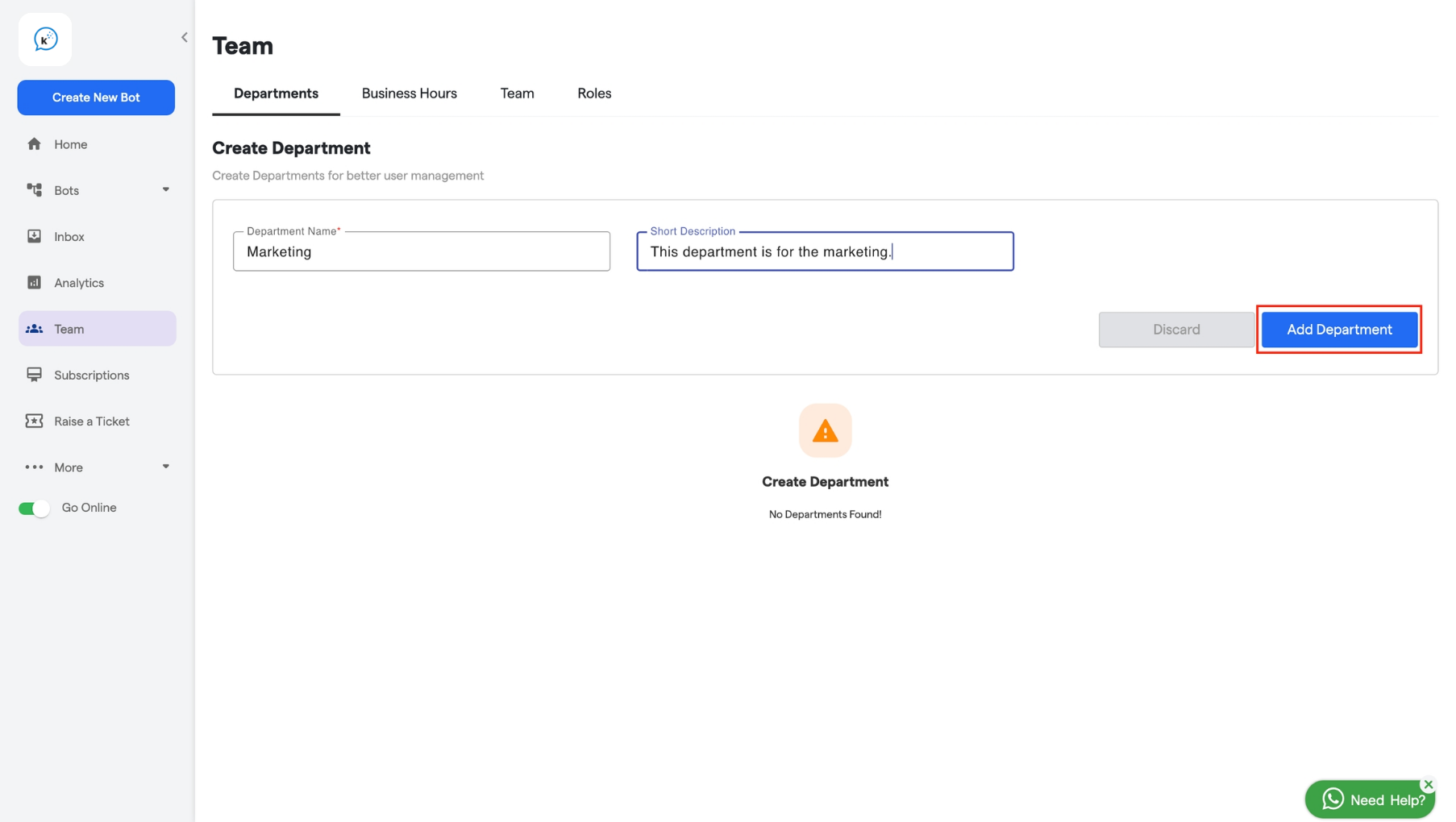
4. After filling in all the details click on the  "Add Department" button.
   <img src="https://mintcdn.com/relinns-a79aef51/MaLdFn4ja_q0l_YZ/images/how-botpenguin-works/department/181.departments__Convertalk_resource_centre-3.png?maxW=1806&auto=format&n=MaLdFn4ja_q0l_YZ&q=85&s=a69594c3f91d8145cd42c518546cf559" alt="181 Departments  Convertalk Resource Centre 3 Pn" width="1806" height="1020" data-path="images/how-botpenguin-works/department/181.departments__Convertalk_resource_centre-3.png" />
