> ## Documentation Index
> Fetch the complete documentation index at: https://help.convertalk.com/llms.txt
> Use this file to discover all available pages before exploring further.

# Business hour

<Info>
  Note: The "Business hours" feature is only accessible to users on the King Plan.
</Info>

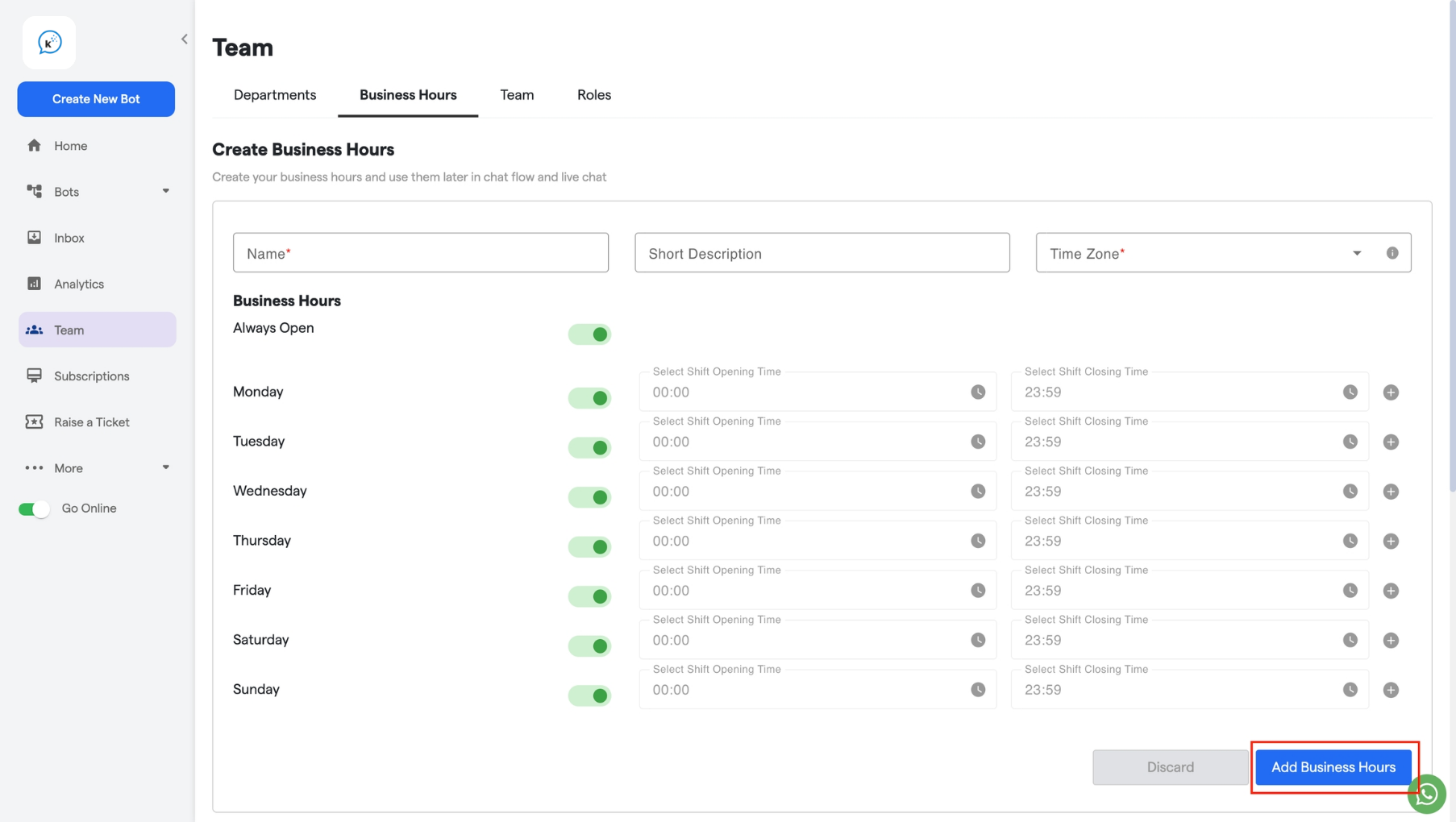
The **Business Hours** subsection allows you to set your organization’s working hours, including specific days and shifts (like night shifts).

## **How to set Business hours:**

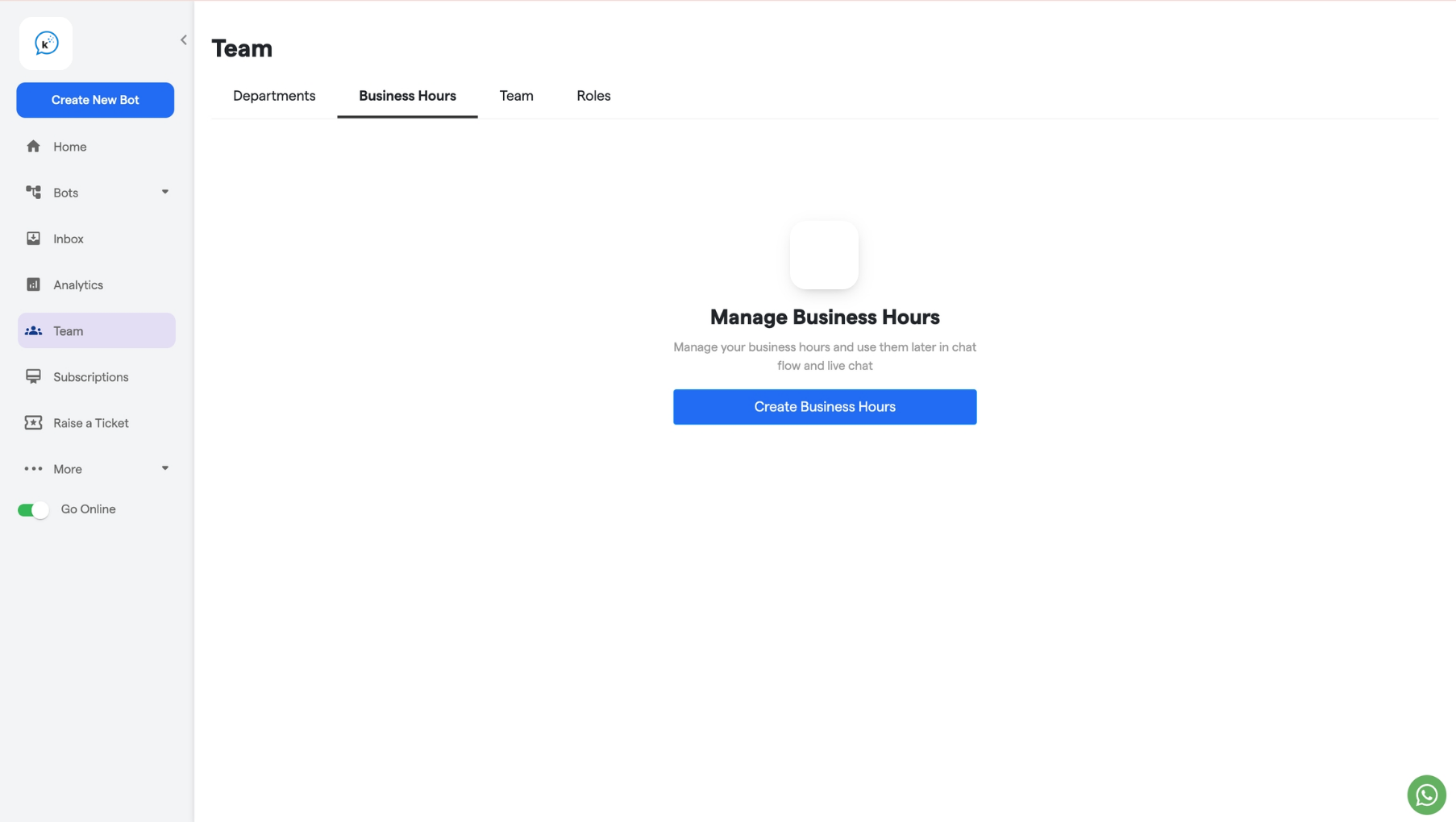
1. Click on the "**Create Business Hours**" button to set business hours.
   <img src="https://mintcdn.com/relinns-a79aef51/l24AWlp2MqMrXrUW/images/how-botpenguin-works/business-hour/182.business_hours__Convertalk_resource_centre-1.png?maxW=1806&auto=format&n=l24AWlp2MqMrXrUW&q=85&s=8d226a085aebc8684eece316a0300342" alt="182 Business Hours  Convertalk Resource Centre 1 Pn" width="1806" height="1020" data-path="images/how-botpenguin-works/business-hour/182.business_hours__Convertalk_resource_centre-1.png" />
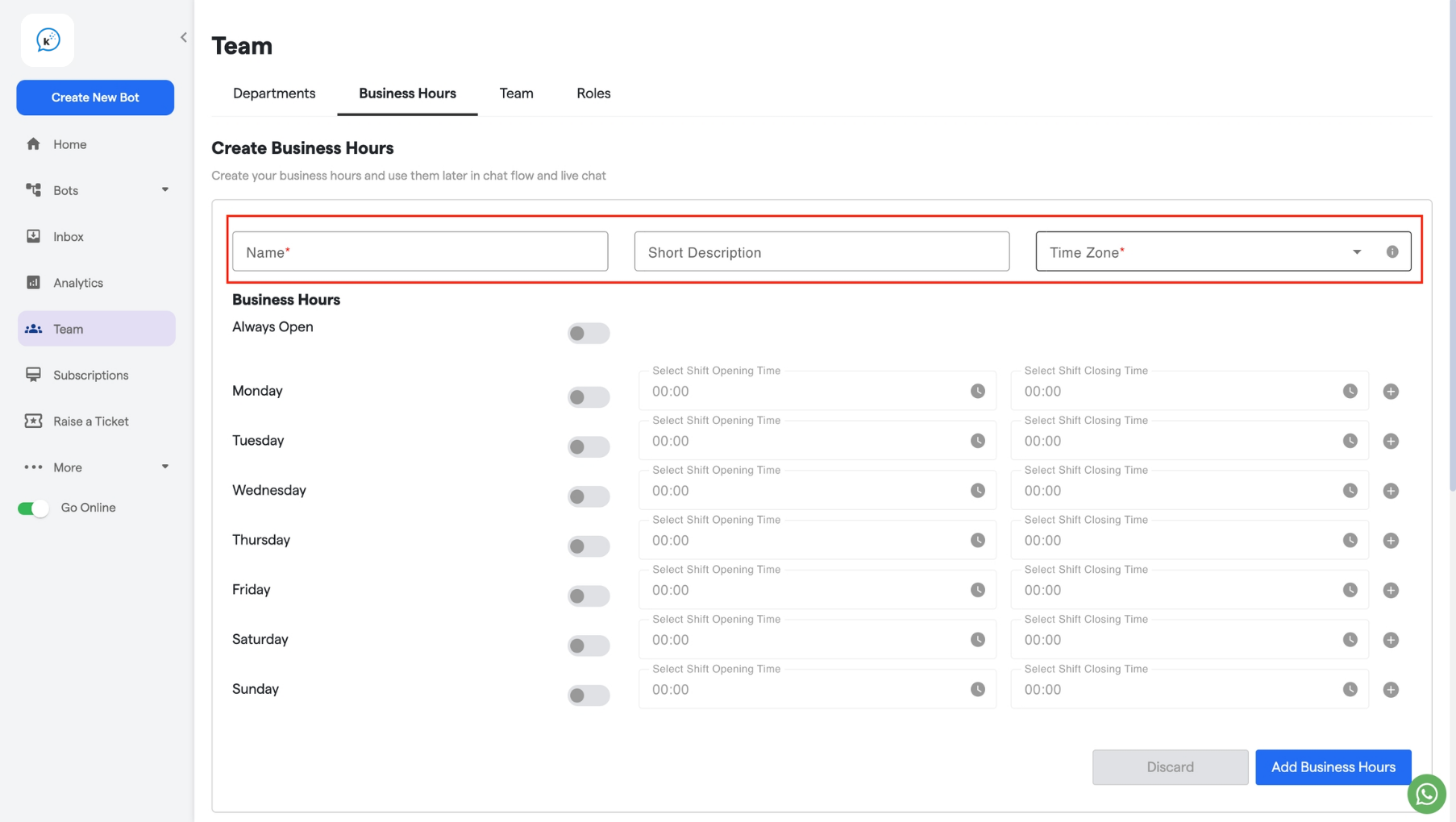
2. Fill out the **Name** field and add a short description.
3. Select the time zone and the business days.
   <img src="https://mintcdn.com/relinns-a79aef51/l24AWlp2MqMrXrUW/images/how-botpenguin-works/business-hour/182.business_hours__Convertalk_resource_centre-2.png?maxW=1806&auto=format&n=l24AWlp2MqMrXrUW&q=85&s=401cf42043f44f02bed907240fa48375" alt="182 Business Hours  Convertalk Resource Centre 2 Pn" width="1806" height="1020" data-path="images/how-botpenguin-works/business-hour/182.business_hours__Convertalk_resource_centre-2.png" />
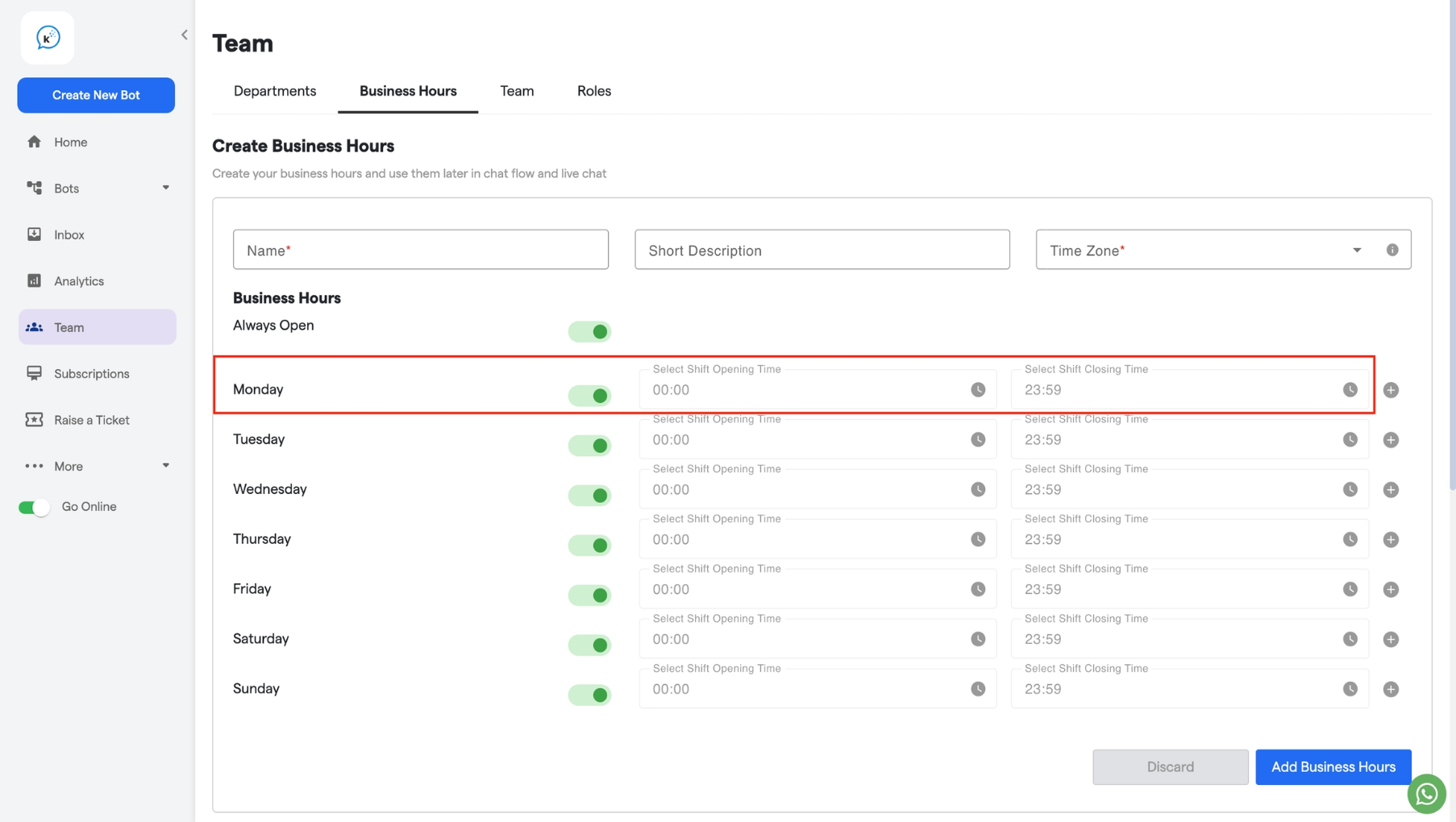
4. Choose the corresponding start and end times for each working day.
   <img src="https://mintcdn.com/relinns-a79aef51/l24AWlp2MqMrXrUW/images/how-botpenguin-works/business-hour/182.business_hours__Convertalk_resource_centre-3.png?maxW=1806&auto=format&n=l24AWlp2MqMrXrUW&q=85&s=6be016edcbc49669c4e4b756035bec28" alt="182 Business Hours  Convertalk Resource Centre 3 Pn" width="1806" height="1020" data-path="images/how-botpenguin-works/business-hour/182.business_hours__Convertalk_resource_centre-3.png" />
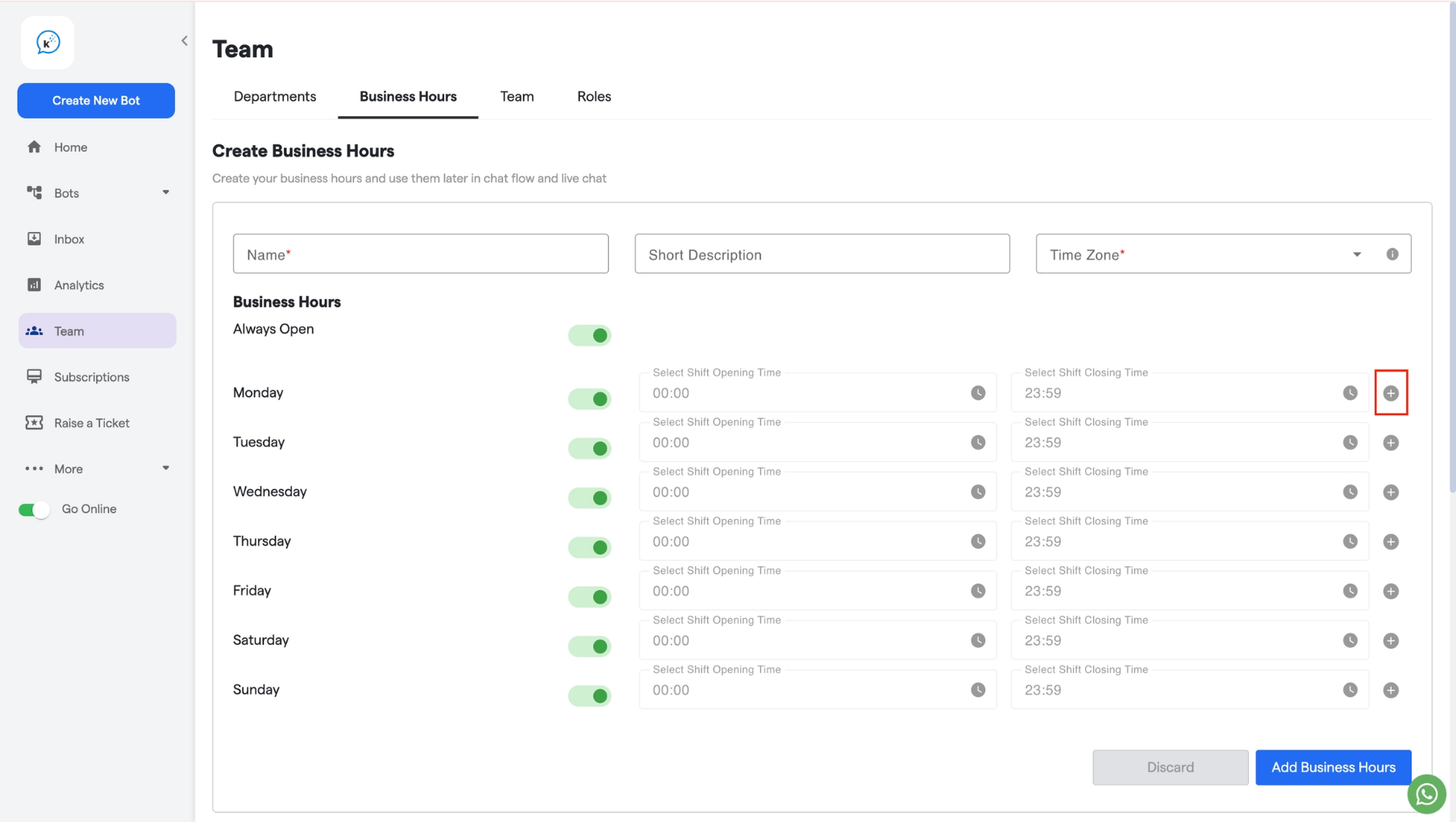
5. If there is a night shift or additional shift, click on the **+** icon to create a second shift.
   <img src="https://mintcdn.com/relinns-a79aef51/l24AWlp2MqMrXrUW/images/how-botpenguin-works/business-hour/182.business_hours__Convertalk_resource_centre-4.png?maxW=1806&auto=format&n=l24AWlp2MqMrXrUW&q=85&s=57c50000861a021fe778951cd6ea6d11" alt="182 Business Hours  Convertalk Resource Centre 5 Pn" width="1806" height="1020" data-path="images/how-botpenguin-works/business-hour/182.business_hours__Convertalk_resource_centre-4.png" />
6. Click **Add Business Hours** to save.
   <img src="https://mintcdn.com/relinns-a79aef51/l24AWlp2MqMrXrUW/images/how-botpenguin-works/business-hour/182.business_hours__Convertalk_resource_centre-5.png?maxW=1806&auto=format&n=l24AWlp2MqMrXrUW&q=85&s=3542c6d02b3719b7b3f44363e4e0fdab" alt="182 Business Hours  Convertalk Resource Centre 5 Pn" width="1806" height="1020" data-path="images/how-botpenguin-works/business-hour/182.business_hours__Convertalk_resource_centre-5.png" />
