> ## Documentation Index
> Fetch the complete documentation index at: https://help.convertalk.com/llms.txt
> Use this file to discover all available pages before exploring further.
# Subscription & Plans (Legacy Version)
> Wondering how to manage your subscriptions? Read on.
## Convertalk Subscriptions
Convertalk is a SaaS-based chatbot provider platform where you can create a website bot, Live chatbot widget, Chatbot page, WhatsApp bot, Telegram bot, and Facebook bot. Currently, you can manage your subscription to bots from the Convertalk Dashboard, except for WhatsApp, which is handled offline. Here is how you can manage your subscriptions.
## **Current Subscription**
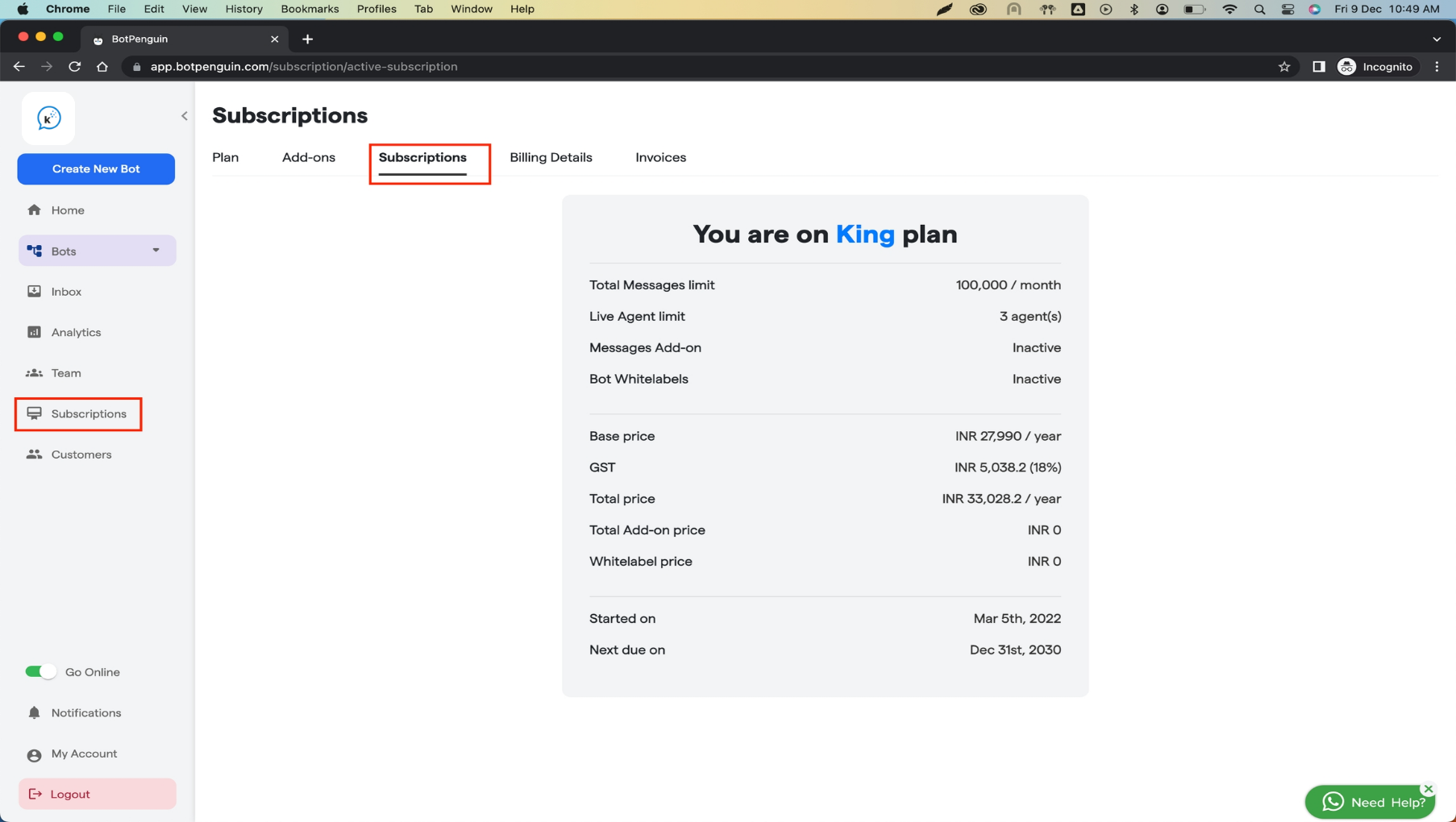
Check your current subscriptions from the `subscriptions` panel. You can access the same by clicking on the `Subscriptions` in the left side menu bar and then selecting the `Subscriptions` tab in the top menu bar as shown in the image below. Here you can see all of your current subscription details.
 ## **Upgrade your plan**
You can upgrade your plan in a few quick steps; here is how:
**Step 1**: Navigate to the `Subscriptions` panel from the left menu bar and then go to the `Plan` tab.
## **Upgrade your plan**
You can upgrade your plan in a few quick steps; here is how:
**Step 1**: Navigate to the `Subscriptions` panel from the left menu bar and then go to the `Plan` tab.
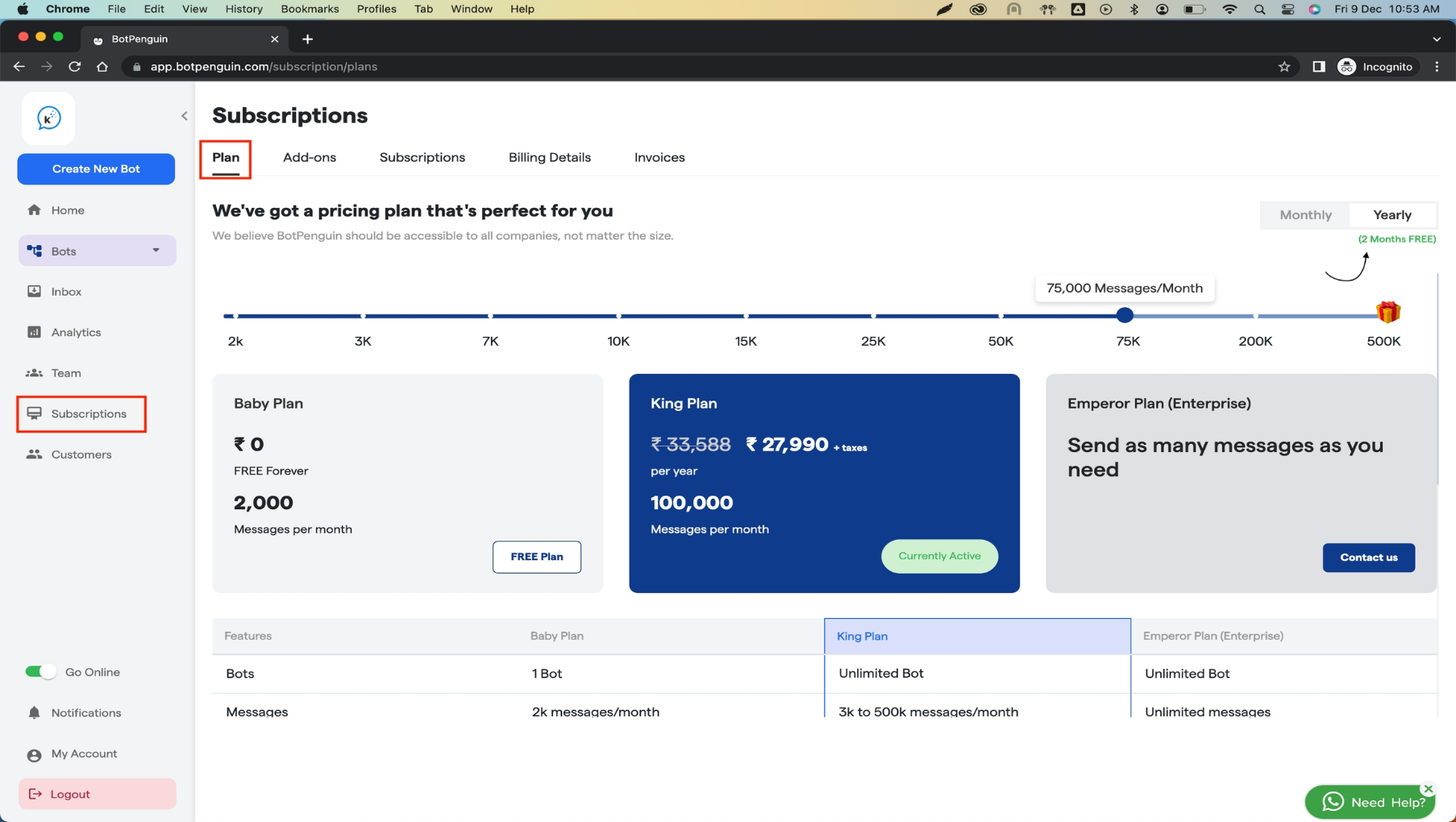 **Step 2**: Once you can see the screen similar to above,
a. Select whether you want to purchase the Monthly or yearly plan from the top left.
You will get two months FREE in the yearly plan.
**Step 2**: Once you can see the screen similar to above,
a. Select whether you want to purchase the Monthly or yearly plan from the top left.
You will get two months FREE in the yearly plan.
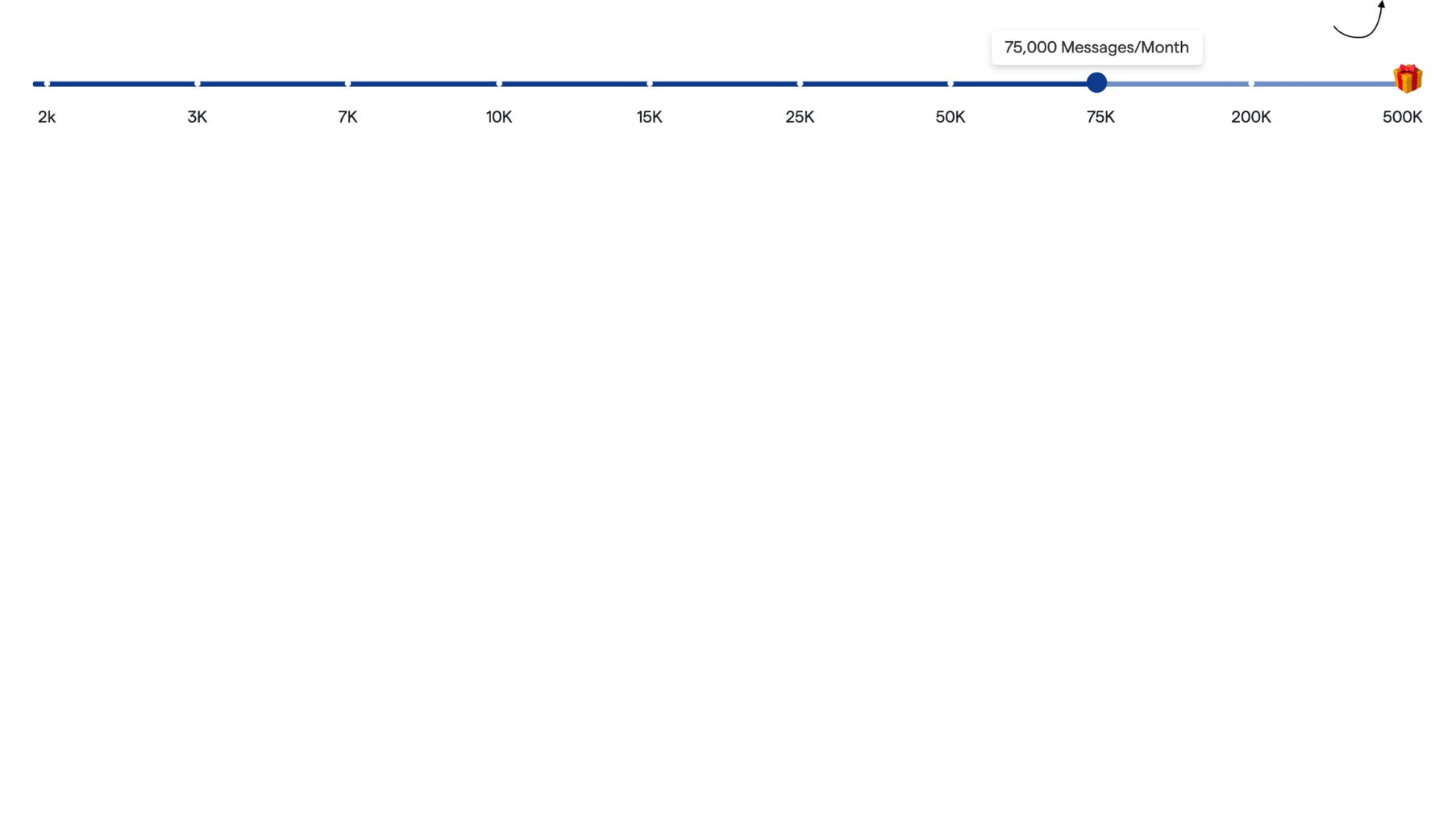
 b. Select the number of messages you want to consume monthly from the message slider bar.
 c. Now click on `Upgrade` button as shown below in the image.
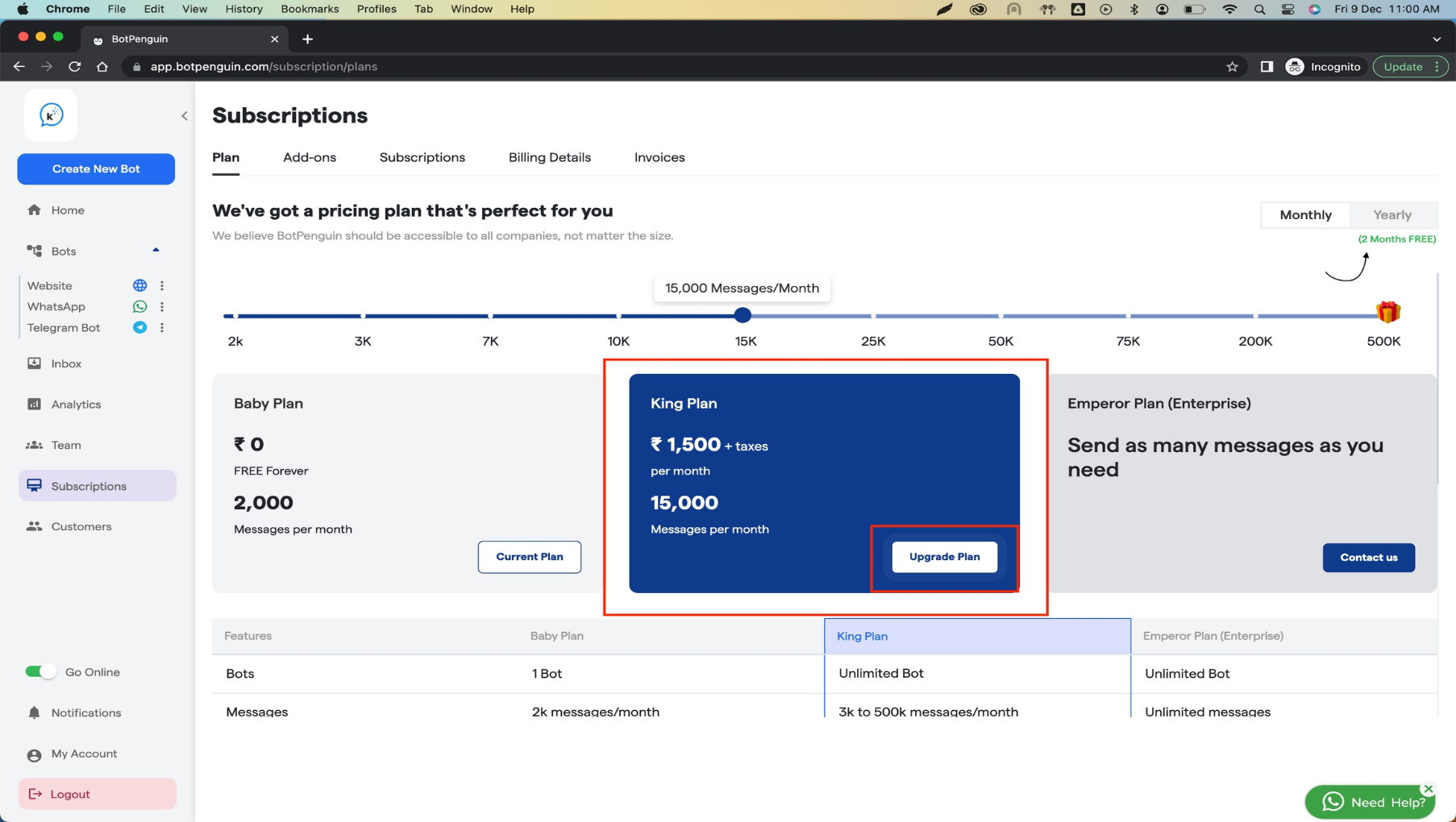 Once you click on the `Upgrade` button, You can Follow the on-screen instructions and make the payment. Once payment is made, You are good to go. In case of any issues contact us at \[contact@ Convertalk.com]\(mailto:contact@ Convertalk.com) .
## **Downgrade/Cancel plan**
You can downgrade your plan in a few quick steps; here is how:
**Step 1**: Navigate to the `Subscriptions` panel from the left menu bar and then go to the `Plan` tab.
Once you click on the `Upgrade` button, You can Follow the on-screen instructions and make the payment. Once payment is made, You are good to go. In case of any issues contact us at \[contact@ Convertalk.com]\(mailto:contact@ Convertalk.com) .
## **Downgrade/Cancel plan**
You can downgrade your plan in a few quick steps; here is how:
**Step 1**: Navigate to the `Subscriptions` panel from the left menu bar and then go to the `Plan` tab.
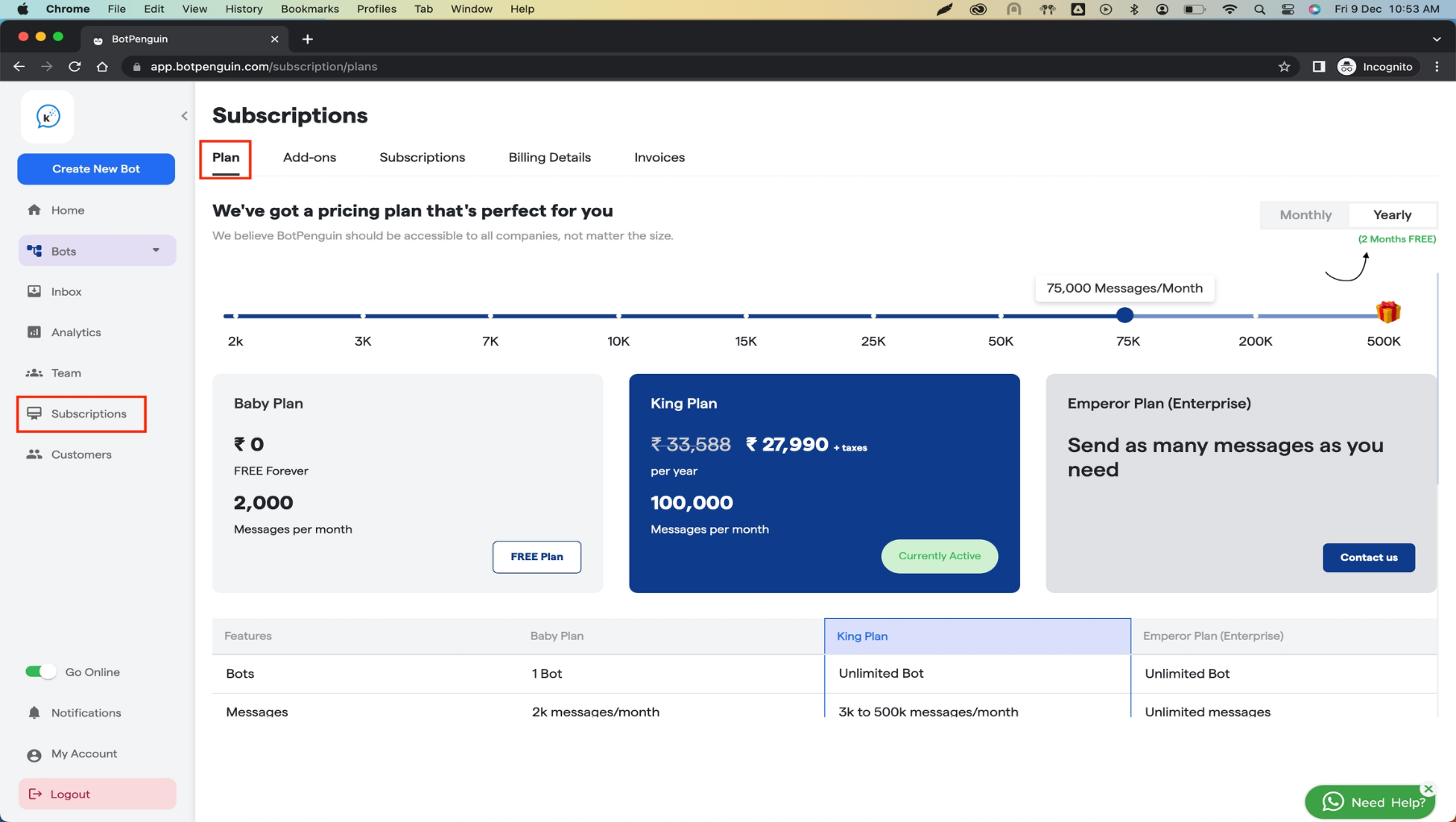 \*\*Step 2: \*\*Click on the `Free Plan` button available under the baby plan option.
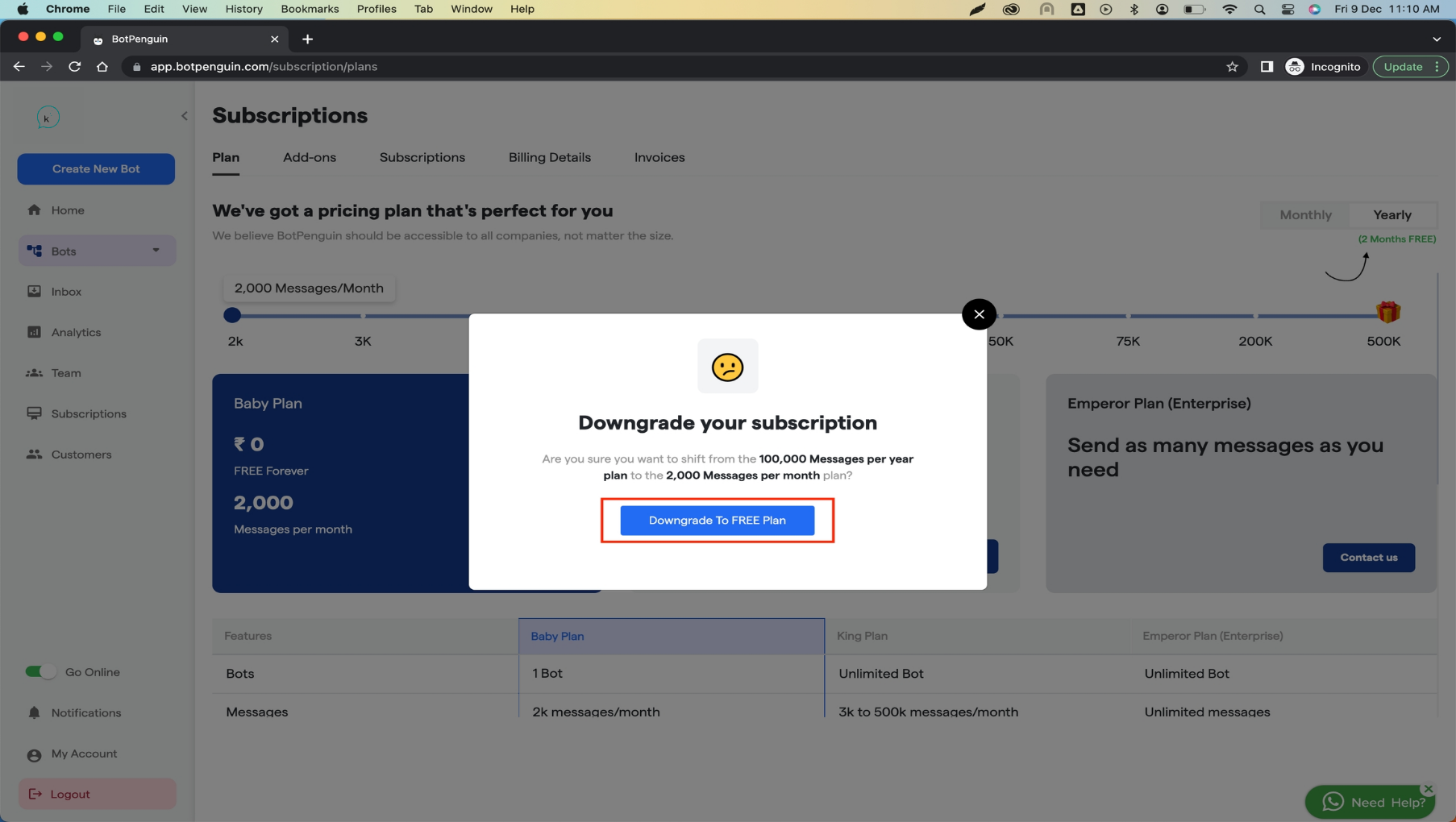
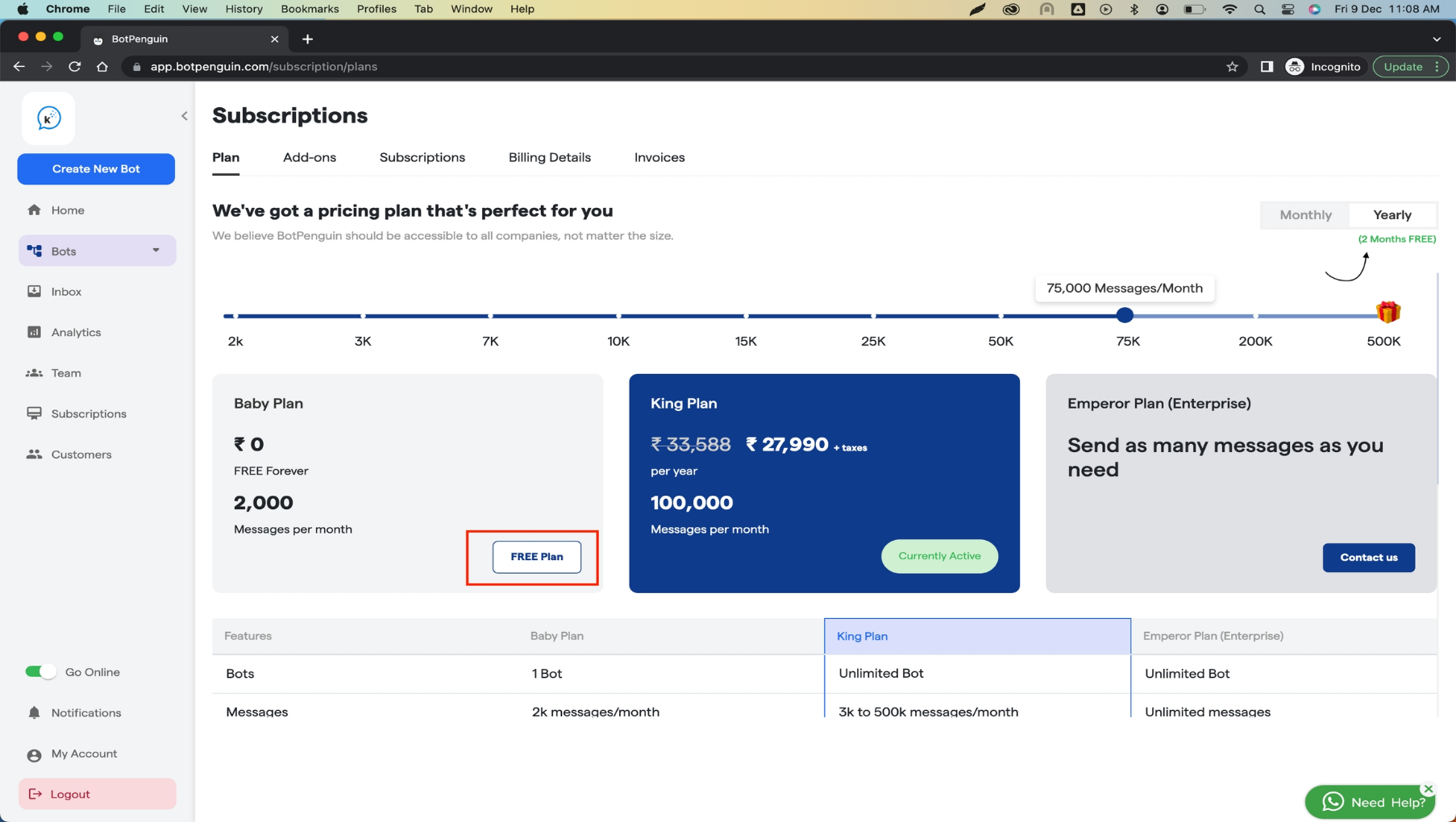 **Step 3:** Once you click on the Free plan button, you will see the below pop-up, You can downgrade your plan by clicking on the `Downgrade to FREE plan`.
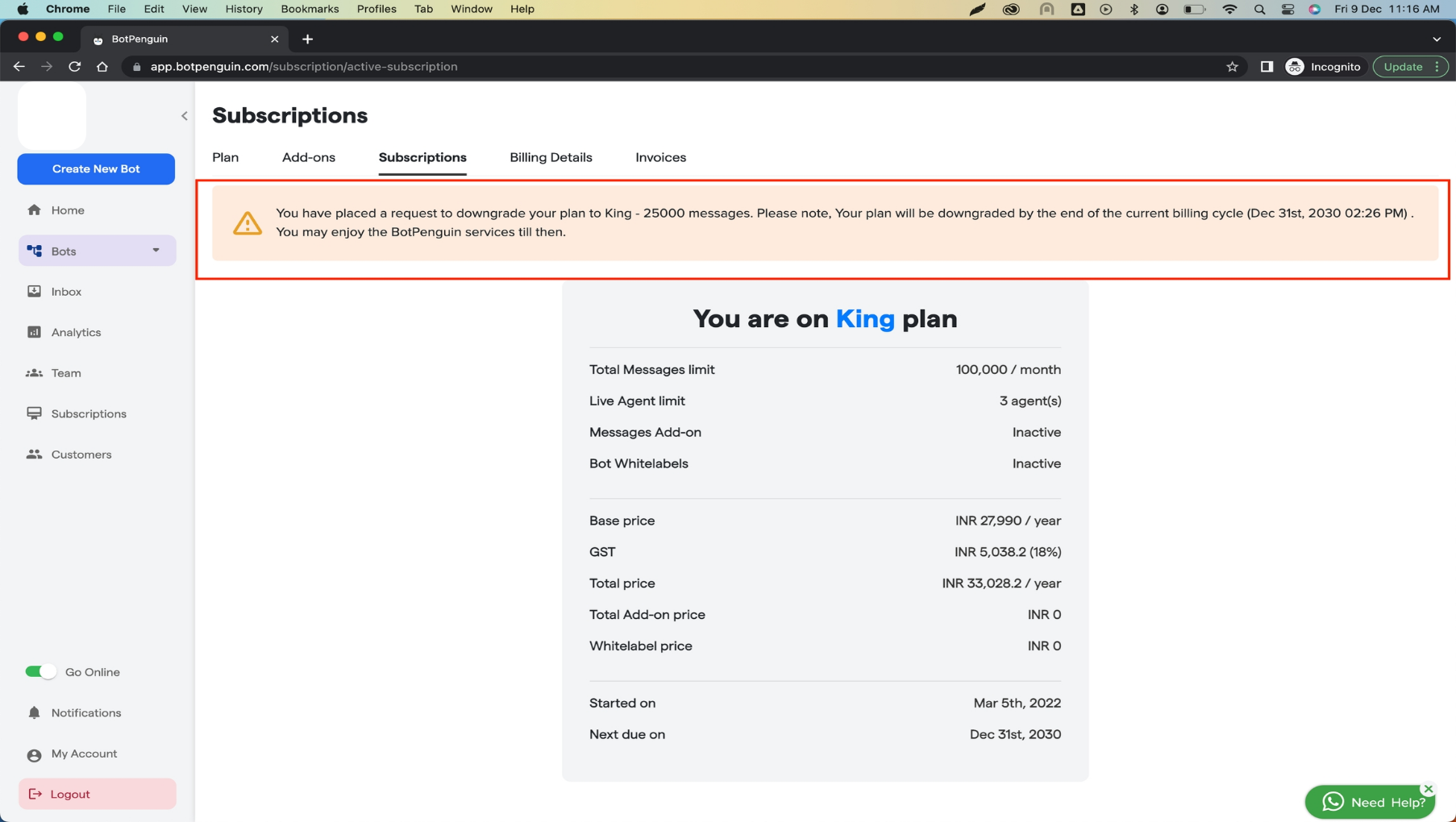
 **Step 4:** Once you complete step 2, you will see the confirmation message that your cancellation/downgrade request has been placed. You need to confirm the same from the `Subscription` tab as shown in the image below. You should see the downgrade request as shown in the image below. If yes, You are done! Your plan will be downgraded in next billing cycle and you won't be charged from now on.
 In case of any questions or concerns, Contact us at \[support@ Convertalk.com]\(mailto:support@ Convertalk.com)