> ## Documentation Index
> Fetch the complete documentation index at: https://help.convertalk.com/llms.txt
> Use this file to discover all available pages before exploring further.
> This section contains a quick guide on how to create and use the Drip Campaigns in the WhatsApp, Telegram and Facebook Bot
# WhatsApp Broadcast Setup
#### **What is a Broadcast?**
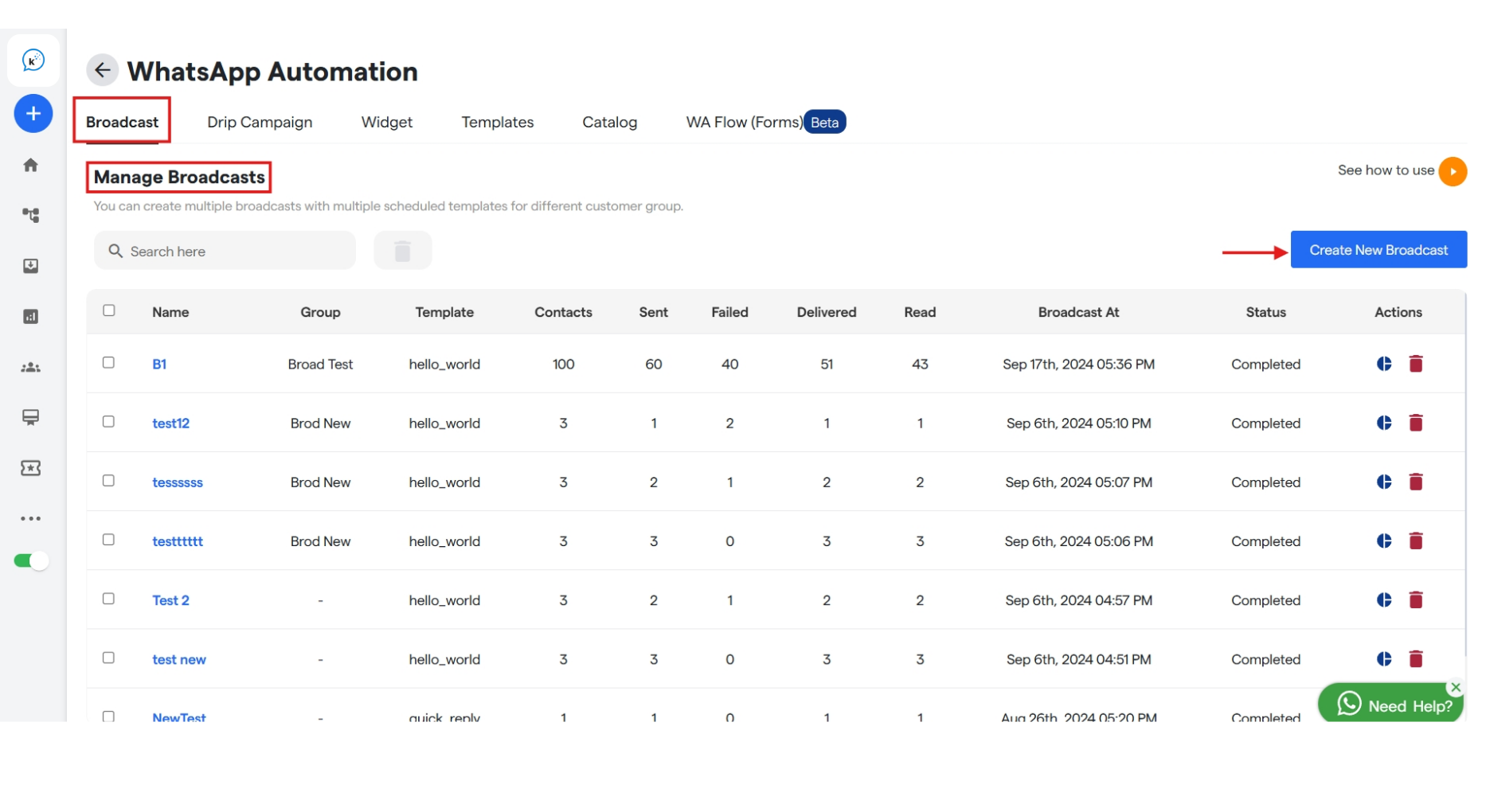
A Broadcast is messages campaigns that can be blasted in one click, to the targeted segment or group of subscribers/contacts. You can create the one using the below guide
#### **How to create a Broadcast?**
To create one, go to the `Broadcast` tab in the `Bot Settings` and click the `Create New Broadcast` on the extreme right.
**Name your broadcast campaign**
1. Here, enter your Broadcast name, select template and whom to send the broadcast from drop down.
2. When you select a template you will be asked to add header media which you can import from your system.
 **Configure your Broadcast**
1. Once you select the template, when "Using Group" is selected in whom to send you will get a new drop down to select or create a group. And if you select "Using CSV" then upload a csv file for the same.
**Configure your Broadcast**
1. Once you select the template, when "Using Group" is selected in whom to send you will get a new drop down to select or create a group. And if you select "Using CSV" then upload a csv file for the same.
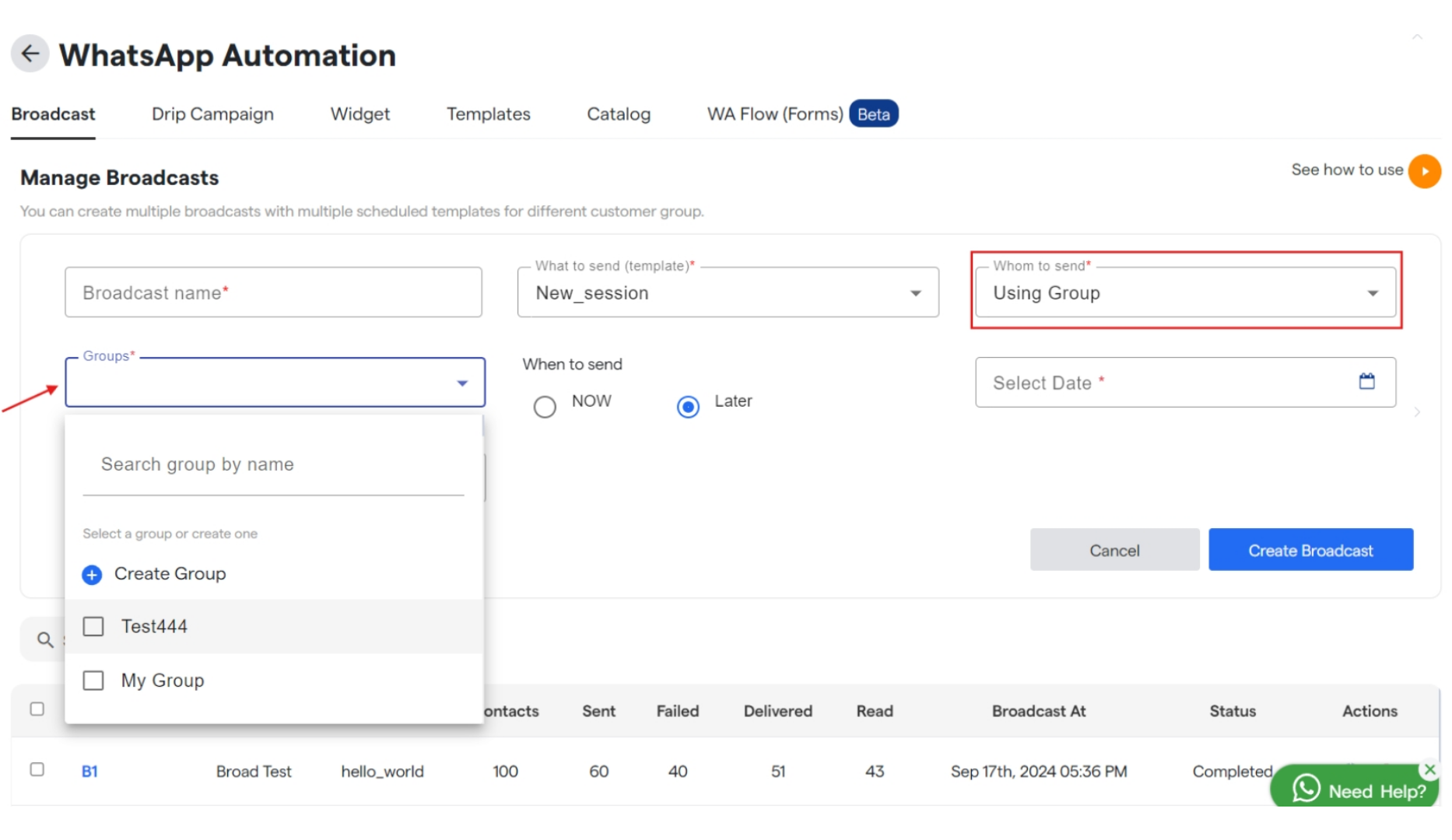 2. Also, select the scheduled date to send the Broadcast, if not to be sent immediately.
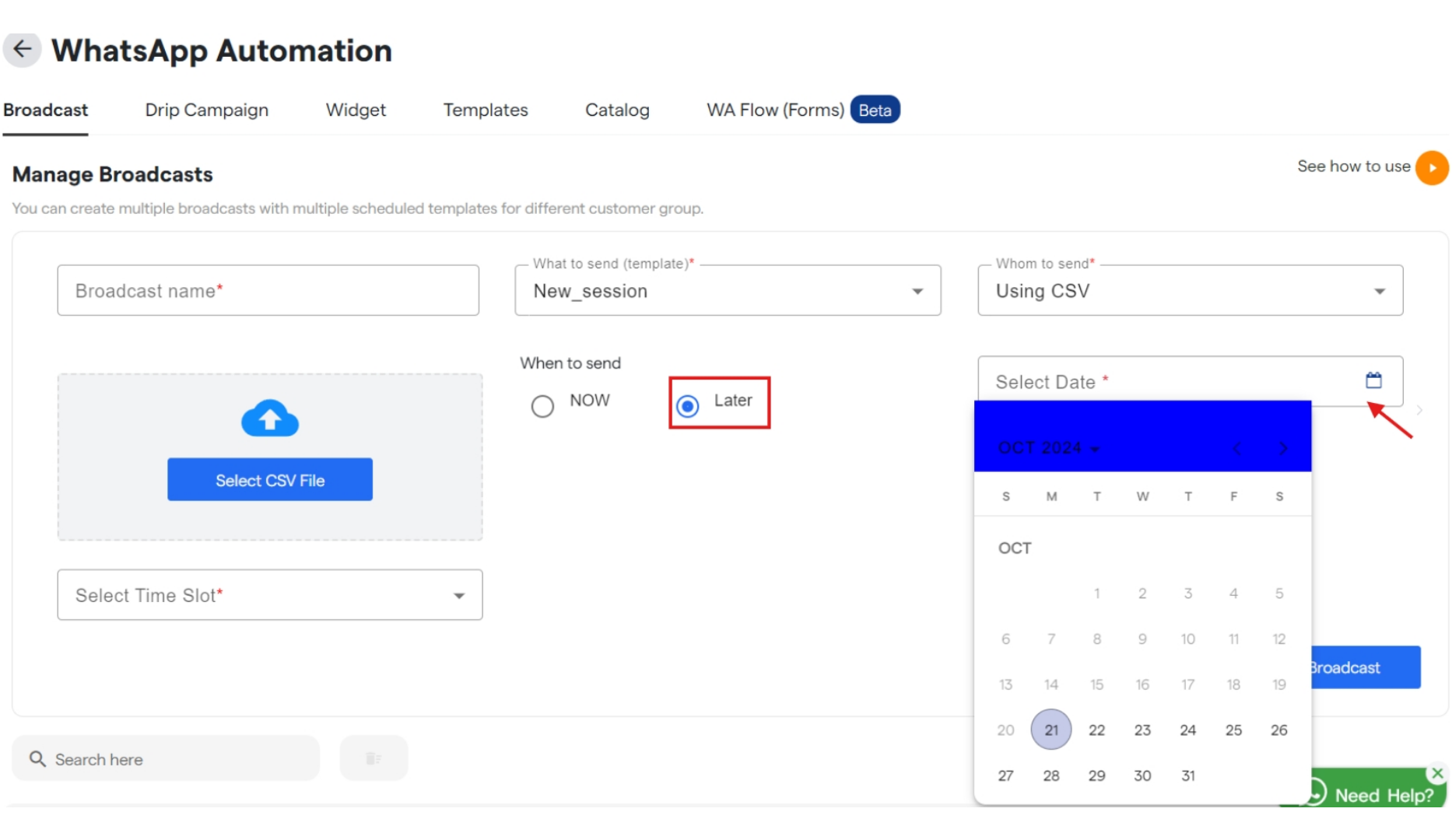 3. Click `Create Broadcast` to save your broadcast and will get listed under `Broadcast name`.
4. Similarly you can edit and customize your broadcast that are available under "Manager Broadcast".
Done! You have created your Broadcast campaign.
3. Click `Create Broadcast` to save your broadcast and will get listed under `Broadcast name`.
4. Similarly you can edit and customize your broadcast that are available under "Manager Broadcast".
Done! You have created your Broadcast campaign.